Generate AI Voices
from any text

Turn any text into natural-sounding speech with our AI Voice Generator. Experience lifelike audio output perfect for content creation, accessibility, and hands-free listening with ReadLoudly.

Popular Tools

All-in-one PDF reader and document tools to read, convert, compress, scan, and manage files online—fast, secure, and easy to use.

Generate AI Voices from Text Online

Creating lifelike AI voice audio from your text is simple with ReadLoudly. Here's how to get started:

step image

Enter your text or upload a text file. Our AI Voice Generator lets you quickly paste or upload any content you want converted to speech.

step image

Once your text is loaded, navigate to the section you want to hear. Our intuitive interface makes it easy to jump to any part of your content.

step image

Hit play and let our AI voice technology bring your text to life. Sit back and enjoy natural, human-like audio generated instantly from your content.

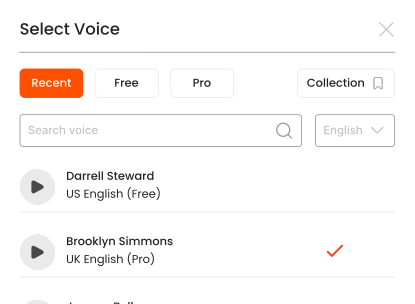
Listen With Voices That Feel Real

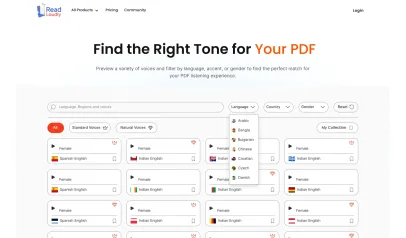
Voice User
Russian Spanish
Voice Selection
Romanian Voice User Malaysian Voice User
Read and Listen Anywhere

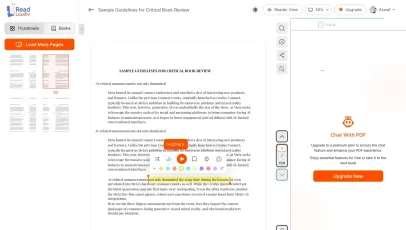
With ReadLoudly.com, you can easily upload any PDF document and read.

Text Highlighting
Customizable Reading Experience

Once you're done reading or listening to a document, you can easily share.

Tone Control
Share

Share with Ease

Once you're done reading or listening you can easily share.

AI Chat

Multilingual AI Chat

Chat with PDFs, adjust voice, and translate to your language.

No Downloads

No Downloads Required

You don't need to download any software or plugins to use.

Background
Free Account • No Credit Card Required

Start listening smarter today

Join 4M+ users who've transformed how they consume content. Turn any document into an engaging audio experience in seconds.

Free account available
Cancel anytime
No credit card needed