

EPUB to RTF
Converter

Upload a DRM-free EPUB and download an editable RTF that opens in almost any word processor. Converted on our servers with Calibre. Free, no signup, nothing to install.

Trusted by 4M+ readers worldwide

Click to upload, or drag and drop

EPUB up to 50 MB each

Supported formats: EPUB

  • Free, no signup
  • No watermark
  • Files deleted after 8 hours
1
UPLOAD
2
SETTINGS
3
RESULT

RTF Output Options

Ready to convert?

Files deleted automatically.

How to convert EPUB to RTF

Three steps from any browser. Nothing to install and no account needed.

1 Chapter 1 2 Chapter 2 3 Chapter 3 4 Chapter 4 EPUB .rtf One file 1 Chapter 1 2 Chapter 2 3 Chapter 3 4 Chapter 4 EPUB .rtf One file

Step 1: Upload your EPUB

Click Upload File or drag a DRM-free .epub onto the page. Without an account you can upload files up to 50 MB.

Step 2: Click Convert File

Calibre, the open-source ebook tool, turns the EPUB into Rich Text on ReadLoudly's servers.

Step 3: Download the RTF

Click Download Converted File and open it in Word, LibreOffice Writer, Pages or TextEdit.

Font pt 10 12 15 Font size mapping 10, 12, 14, 16, 18, 20

Font pt No Change, 12 pts, 15 pts

Uploaded Converted Downloaded Deleted within 8 hours

Deleted after 8 hours

Your file is converted on ReadLoudly's servers and deleted automatically after 8 hours.

EPUB to RTF converter features

How the EPUB to RTF converter turns an EPUB into RTF with the output options you choose, free and from any browser.

The RTF, opened in the reader

A real conversion: Pride and Prejudice turned into RTF, then opened in the ReadLoudly reader.

  • Free, no signup. No account needed and no watermark on the file you download.
  • Up to 50 MB free. Convert EPUB files up to 50 MB as a guest or on the free plan; paid plans take files up to 500 MB.
RTF Pride andPrejudice Listen
Shown: Pride and Prejudice by Jane Austen (1813), from the 1894 George Allen edition (public domain).

RTF output options

Adjust the output settings before you convert, or keep the defaults.

  • Deleted after 8 hours. An hourly cleanup deletes the upload and the result once they are 8 hours old.
  • Defaults or your own settings. Keep the default RTF settings and click Convert File, or change them before you convert.
RTF

Works in any browser

The conversion runs on our servers, so it works from any browser, phone included.

  • Upload from your phone. Tap Upload File in Safari or Chrome on iPhone or Android and pick the EPUB file from Files.
  • Save it to your phone. Tap Download Converted File and the RTF saves to your phone, with no watermark.
RTF Pride and Prejudice

What carries over from EPUB to RTF

What the RTF copy keeps from your EPUB.

Converting EPUB to RTF turns an ebook into an editable document. Chapters become headings, images are placed inline in reading order, and Word or LibreOffice can rebuild the table of contents from those headings. Page numbers do not exist in a reflowable ebook, so none are invented; if you need them, convert to PDF instead.

  • Chapter titles and headings. Word heading styles (Heading 1 to Heading 6), so they show in the navigation pane.
  • Bold, italic, underline, strikethrough, superscript and subscript. Kept.
  • Left, centered and right-aligned text. Kept.
  • Photos and other pictures (JPEG, PNG, GIF). Embedded where they appear, saved as JPEG.
  • Chapter files. Each one starts on a new page.
  • Title and author. Saved in the document properties.
EPUB RTF Chapter titles andheadings Bold, italic,underline… Left, centered andright-aligned text Photos and otherpictures (JPEG, PNG… Chapter files Title and author

What changes or is left out in the RTF

What the RTF copy drops, flattens or replaces.

  • SVG drawings. Left out.
  • Links. The link text stays; it is no longer clickable.
  • Tables. The text stays, but not as a table grid.
  • Embedded ebook fonts. Replaced by standard fonts such as Times New Roman.
EPUB RTF SVG drawings Links Tables Embedded ebook fonts

What an RTF Copy of an Ebook Is Good For

An RTF opens in almost any word processor, so the text of a DRM-free book is easy to reuse.

  • Edit and quote. Chapter titles arrive as Word heading styles, so you can edit, quote or restructure the book in Word or LibreOffice.
  • Opens almost anywhere. Word, LibreOffice Writer, Pages and TextEdit open RTF, including older software that can't read EPUB.
  • Study notes. Paste chapters into notes, study sets or a translation tool.
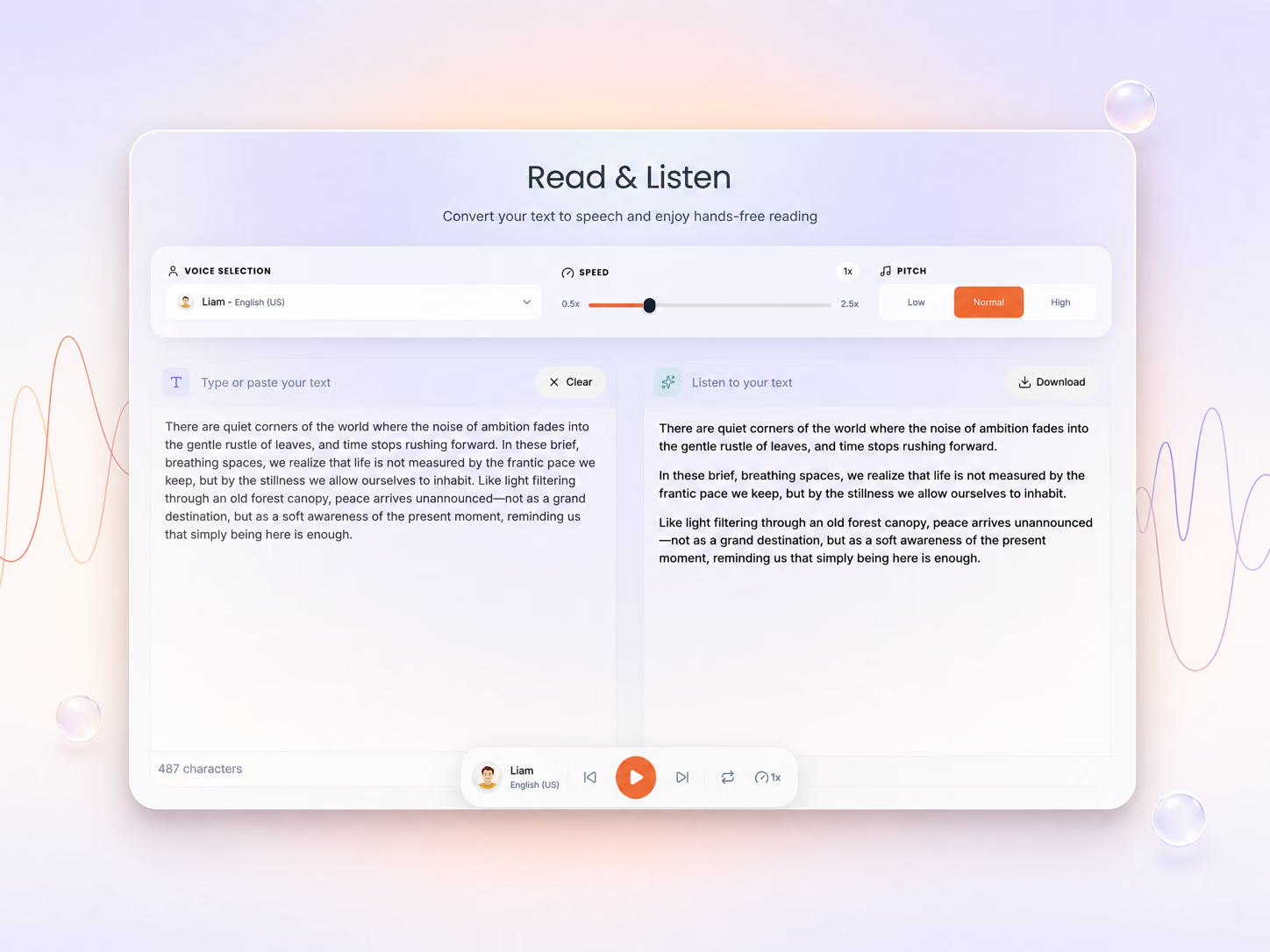
  • Listen to it. Open the RTF in ReadLoudly's RTF reader and have it read aloud.
EPUB RTF Edit and quote Headings become Word heading styles Opens anywhere Word, LibreOffice, Pages and TextEdit Study notes Paste chapters into notes or a translation tool Listen to it Open the RTF in the ReadLoudly RTF reader

EPUB to RTF Limits and Specs

What goes in, what comes out and the size and time limits of the free EPUB to RTF converter.

  • Input. DRM-free EPUB ebooks. EPUBs locked with DRM by an ebook store cannot be converted.
  • Output. An RTF document with chapter titles as Word heading styles and pictures embedded where they appear, saved as JPEG.
  • File size. Up to 50 MB as a guest or on the free plan; Core, Plus and Pro raise it to 200, 350 and 500 MB.
  • Time limit. One conversion runs for up to 10 minutes, then it is stopped.
  • Left out. SVG drawings are dropped, links are no longer clickable, tables lose their grid and embedded fonts become standard fonts.
  • Price. Free, with no signup.
EPUB EPUB to RTF at a glance Input DRM-free EPUB Output RTF document Headings Word heading styles Images Embedded as JPEG Time limit 10 min per file Price Free, no signup Upload size by plan 50 MB Free 200 MB Core 350 MB Plus 500 MB Pro

If Your EPUB to RTF Conversion Fails

Four reasons an EPUB to RTF conversion is refused or stops, and the fix for each one.

  • "DRM-protected" message. The ebook store locked the book, so it can't be converted, and ReadLoudly does not remove DRM. Use a DRM-free copy.
  • It fails on a DRM-free EPUB. The file may be damaged. Check that it opens in the EPUB reader, or re-save it in an ebook editor and try again.
  • The file is too big. Guests and free accounts can upload 50 MB, the Core plan 200 MB, the Plus plan 350 MB and the Pro plan 500 MB.
  • A very long book stops part-way. A single conversion is stopped after 10 minutes. Split the book or remove large images, then try again.
! "DRM-protected" message Use a DRM-free copy of the book ! Fails on a DRM-free EPUB Check it opens in the EPUB reader ! The file is too big Free 50 MB, Pro up to 500 MB ! A long book stops part-way One conversion stops after 10 min

What Happens to Your EPUB When You Convert It to RTF

Where the EPUB file goes, how long it is kept and what it is never used for.

  • Converted on our servers. The EPUB file is uploaded over HTTPS and converted with Calibre's ebook-convert on ReadLoudly's own servers, so your phone or computer does none of the work.
  • Deleted after 8 hours. The download link works for about 8 hours; an hourly cleanup then deletes the upload and the RTF.
  • Never shared or used for training. Files are not passed to third parties or used to train AI models.
  • Any device. It works the same in Chrome, Safari, Edge or Firefox on Windows, Mac, Linux, iPhone or Android.
On ReadLoudly servers, with Calibre EPUB RTF Upload EPUB Calibre converts Download RTF 8 h then the upload and the RTF are deleted Free no signup needed to convert Any browser on a phone or a computer

RTF, DOCX, TXT or PDF: which should you choose?

  • RTF. need a file that opens in almost any word processor, including TextEdit and older software, with basic formatting and images.
  • DOCX. will keep editing in Word or Google Docs: EPUB to DOCX.
  • TXT. only need the words for notes, translation or scripts: EPUB to TXT.
  • PDF. need fixed pages and page numbers for printing or sharing: EPUB to PDF.
EPUB RTF RTF DOCX TXT PDF

Opening your RTF file

RTF opens in the editor you already have, from Word to LibreOffice Writer and Apple Pages.

RTF is one of the most widely supported document formats, so the file opens in the editor you already have:

  • Microsoft Word on Windows, Mac and mobile
  • LibreOffice Writer, free for Windows, Mac and Linux
  • Apple Pages and TextEdit on a Mac, and Pages on iPhone and iPad
  • Google Docs: upload the RTF to Google Drive, then choose Open with, then Google Docs

Need a contents page? Chapter titles arrive as heading styles, so Word builds one under References, then Table of Contents, and LibreOffice under Insert, then Table of Contents and Index.

Want to hear it instead? Open the RTF in ReadLoudly's RTF reader and have it read aloud.

EPUB RTF Microsoft Word LibreOffice Writer Apple Pages andTextEdit Google Docs

Converting EPUB to RTF offline with Calibre

The steps to convert an EPUB to RTF offline with Calibre.

  1. Install Calibre (free for Windows, macOS and Linux) from calibre-ebook.com.
  2. Click Add books and choose your EPUB.
  3. Select it, click Convert books, set Output format to RTF, then click OK.
  4. Right-click the book and choose Open containing folder to find the .rtf file.

From the command line, the same conversion is:

ebook-convert "book.epub" "book.rtf"

Calibre cannot convert DRM-protected books. If you'd rather not install anything, the converter above runs the same conversion on our servers. Calibre's conversion guide explains every option.

1 Install Calibre (free for Windows, macOSand Linux) from calibre-ebook.com 2 Click Add books and choose your EPUB 3 Select it, click Convert books, set Outputformat to RTF, then click OK 4 Right-click the book and choose Opencontaining folder to find the .rtf file

About the EPUB and RTF formats

What the EPUB and RTF formats are and what changes when you convert.

What is EPUB?

EPUB (Electronic Publication) is the open ebook standard maintained by the W3C. Apple Books, Kobo and Google Play Books use it. Its text reflows to fit any screen, but most word processors can't open it.

What is RTF?

RTF (Rich Text Format) is Microsoft's 1987 format for moving formatted text between word processors. It is still used by legal and government offices, publishing workflows and long-term document archives. Its strengths are basic formatting, images and support in almost every word processor. Its main drawbacks: files are much larger than DOCX because images are stored as text-encoded data, the specification has not been updated since version 1.9.1 (2008), and complex layouts can look different from one app to another.

EPUB RTF What is EPUB? What is RTF?

Why convert EPUB to RTF?

Four reasons RTF suits a book you want to keep, send or print.

  • Archive it for decades. Word processors have opened RTF since 1987 and the format has not changed since 2008, so a copy you save today still opens years from now.
  • Send it where RTF is asked for. Legal and government offices and many publishing workflows still use RTF, so it is a safe format to hand over.
  • Print your own layout. Set the font, size, margins and paper size in your word processor, then print the book the way you like to read it.
  • Keep the formatting. Headings, bold, italics and pictures stay, which a plain TXT copy drops.
EPUB RTF Archive it for decades Readable since 1987 Send it as RTF Offices still ask for it Print your own layout Your font and margins Keep the formatting Headings, bold, pictures

EPUB to RTF: trusted by readers worldwide

Students, researchers and professionals use ReadLoudly to listen to PDFs and eBooks, chat with their documents and study faster.

Readers
4M+
Registered users
60K+
Document uploads
5M+
Lines read / month
5M+

EPUB to RTF: frequently asked questions

What to know before you turn an EPUB ebook into a Rich Text document.

Upload your EPUB at the top of this page, click Convert File, then click Download Converted File. There is no software to install and no account to create.

Yes. Converting EPUB to RTF is free, needs no signup and adds no watermark to the document.

Yes. Photos and other pictures are embedded where they appear in the text, saved as JPEG. SVG drawings are left out, and links keep their text but are no longer clickable.

An EPUB is a compressed ZIP package. RTF is uncompressed text that stores each picture as hexadecimal text, two characters for every byte, so illustrated books come out much larger than the EPUB.

The converter does not add a contents page, but chapter titles become heading styles. Word and LibreOffice can build a table of contents from them in a couple of clicks.

No. EPUBs locked with DRM by an ebook store can't be converted, and the converter stops with a "DRM-protected" message. DRM-free EPUBs, such as those from Project Gutenberg, Standard Ebooks and many independent authors, convert normally.

Yes. Upload it to Google Drive and choose Open with, then Google Docs. On a Mac it opens in Pages or TextEdit; on iPhone and Android, use Word or Pages.

Guests and free accounts can upload EPUBs up to 50 MB. The Core plan allows 200 MB, the Plus plan 350 MB and the Pro plan 500 MB.

Your EPUB and the RTF stay on the conversion server only so you can download the result. An hourly cleanup deletes both once they are 8 hours old.

No. ReadLoudly runs Calibre on its own servers, so the converter works from any browser on Windows, Mac, Linux, iPhone or Android. If you prefer to work offline, Calibre itself is free.

Yes. Open the RTF in ReadLoudly's RTF reader, or skip converting and open the original EPUB in the EPUB reader, and have it read aloud with AI voices.