

MOBI to PDF
Converter
Convert MOBI to PDF online for free. DRM-free Kindle and Project Gutenberg ebooks become PDFs you can open, print or share anywhere. No signup.
Opens in the ReadLoudly reader. Free, no signup.
Hear the voices before you listen
Your file is ready for conversion
Review the settings below and click Convert to continue.
Congratulation
Successfully converted MOBI to PDF.
File will be automatically deleted after 8 hours
How to Convert MOBI to PDF
Three steps in your browser — no software to install and no signup.
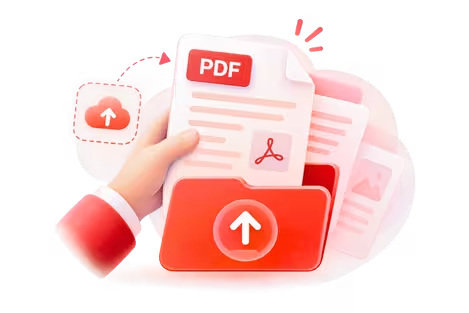
Upload Your File
Choose the MOBI file you want to convert, or drag it onto the page.
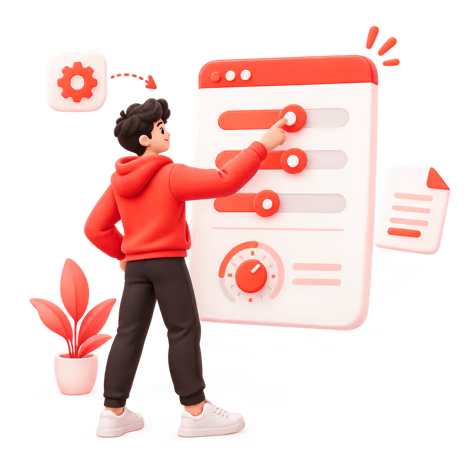
Adjust the Settings
Set your options, then click Convert MOBI to start.
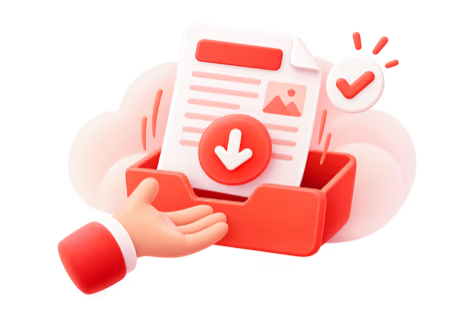
Download the Result
Click Download PDF to get your new file.
About MOBI to PDF Conversion
What is the MOBI format?
MOBI stands for Mobipocket eBook — the format Amazon adopted for the first Kindles and retired for new uploads in 2021. It is used by owners of older Kindles and readers with sideloaded or Project Gutenberg books. Its strengths are small files and compatibility with every Kindle ever made; its main drawback: no support for modern typography, embedded fonts or fixed layouts, and Amazon no longer accepts it.
What is the PDF format?
PDF stands for Portable Document Format — created by Adobe in 1993 and an open ISO standard since 2008. It is used by anyone who needs a document to look identical on every screen and printer. Its strengths are pixel-exact layout, embedded fonts, universal support and print fidelity; its main drawback: text does not reflow on small screens and the file is hard to edit once made.
What changes when you convert MOBI to PDF
The biggest change from MOBI to PDF is that reflowable text becomes fixed pages. Chapters, headings, images and the table of contents are kept, but line breaks are frozen at the page size you choose, so pick a larger page for tablets and a smaller one for phones. Embedded fonts travel with the file; fonts that were only referenced are replaced with the closest match.
Leaving MOBI behind means leaving behind its main drawback: no support for modern typography, embedded fonts or fixed layouts, and Amazon no longer accepts it. What you get in return is what PDF does best — pixel-exact layout, embedded fonts, universal support and print fidelity — the reason it is relied on by anyone who needs a document to look identical on every screen and printer. Tip: choose the page size for the screen you will read on — A4 or Letter for printing, a smaller page for phones — because PDF line breaks are frozen at conversion time.
The conversion itself runs with Calibre and ImageMagick on encrypted servers. Files are deleted automatically once the PDF has been generated — nothing is stored or read — and no account is needed.
Why convert MOBI to PDF?
- Share a MOBI with someone who only has a PDF viewer on their phone or laptop
- Print specific pages or chapters with the layout locked in place
- Archive the file in a format that will still open in twenty years
- Listen to it: open the PDF in the ReadLoudly reader and have it read aloud
MOBI to PDF — Frequently Asked Questions
Everything worth knowing before you convert a MOBI file to PDF.
Yes, provided the file is DRM-free. Books sideloaded from non-Amazon sources, Project Gutenberg downloads, and self-published files typically are. DRM-protected Kindle purchases cannot be converted by any tool.
AZW3 is Kindle's newer format and is supported too — use the AZW3 to PDF converter instead of this one for those files.
Upload your MOBI above, adjust any MOBI-to-PDF options you need, and press Convert. The finished PDF is ready to download as soon as processing completes — no software to install and no account required.
Yes. MOBI to PDF conversion is free with no signup, and there is no watermark on the output. Signing in raises the file size limit and puts your jobs into the priority processing queue.
Guests can convert an MOBI of up to 50 MB into PDF. Signed-in users get higher ceilings — 200 MB on Core, 350 MB on Plus and 500 MB on Pro — which matters most when the source MOBI is image-heavy or book-length.
Your MOBI upload is encrypted in transit, converted, and then deleted automatically along with the PDF output. ReadLoudly does not read, retain long-term, train on, or share the contents of a MOBI file you convert here.
Most MOBI files finish in under 30 seconds. A large, image-heavy or multi-hundred-page MOBI can take a minute or two before the PDF is ready — the page updates on its own, so there is no need to refresh or resubmit.
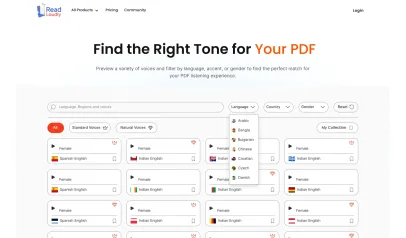
Yes. Open the converted PDF in ReadLoudly's PDF reader and it can be narrated with 1200+ AI voices across 40+ languages. Going MOBI to PDF first is often the whole point — it puts the content into a format the reader handles natively.
No. ReadLoudly runs the MOBI to PDF conversion on its own servers with the same industry-standard tooling (Calibre and ImageMagick) you would otherwise install yourself, so it behaves identically on Windows, macOS, Linux, iOS and Android straight from the browser.
More on reading and listening to your documents
Guides and comparisons from the ReadLoudly blog on getting more out of listening to your documents.
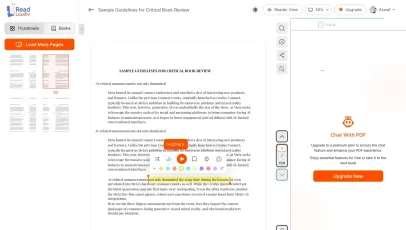
With ReadLoudly.com, you can easily upload any PDF document and read.
Once you're done reading or listening to a document, you can easily share.

Share with Ease
Once you're done reading or listening you can easily share.

Multilingual AI Chat
Chat with PDFs, adjust voice, and translate to your language.

No Downloads Required
You don't need to download any software or plugins to use.

Best Quality
Converted files maintain excellent quality and fidelity using industry-standard tools like Calibre and ImageMagick.
High fidelity
Free & Secure
This tool is free and works on any web browser. Files are protected with 256-bit SSL encryption and deleted automatically after a few hours.
Private & safe
Works Anywhere
Our converter runs in the browser so it works on Windows, Mac, Linux and mobile — no installation required.
Cross-platformSimilar Readers
Looking for alternatives? Check out these tools to suit your needs.