

Read & Listen to eBook to Flipbooks
like never before
Upload any eBooks and instantly view it as a sleek, scroll-free flipbook—perfect for reading, sharing, and presenting.
Opens in the ReadLoudly reader. Free, no signup.
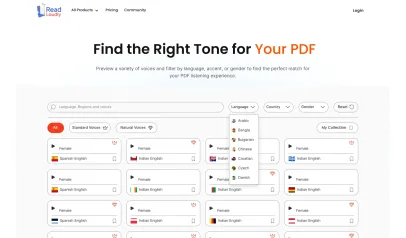
Hear the voices before you listen
Popular Tools
All-in-one PDF reader and document tools to read, convert, compress, scan, and manage files online—fast, secure, and easy to use.








How to Read eBook as Flipbooks on ReadLoudly.
Turning your eBooks into a flipbook is simple with ReadLoudly.
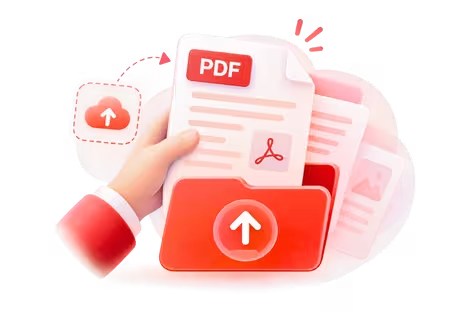
Upload Your eBook
Choose your eBook and upload it, or drag it onto the page.

Read as a Flipbook
Flip through your eBook with a real page-turning feel.
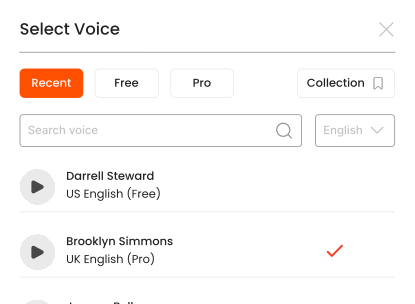
Listen With Voices That Feel Real





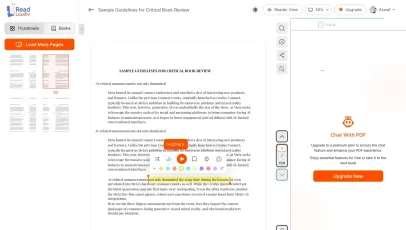
With ReadLoudly.com, you can easily upload any PDF document and read.
Once you're done reading or listening to a document, you can easily share.

Share with Ease
Once you're done reading or listening you can easily share.

Multilingual AI Chat
Chat with PDFs, adjust voice, and translate to your language.

No Downloads Required
You don't need to download any software or plugins to use.
Similar Readers
Looking for alternatives? Check out these tools to suit your needs.
Frequently Asked Questions
Everything you need to know about Read & Listen to eBook to Flipbooks.
EPUB, MOBI, AZW, FB2 and other supported ebook formats can be rendered as a flipbook. The file is laid out into pages first, since ebooks reflow and flipbooks do not.
A PDF already has fixed pages, so the flipbook mirrors them exactly. An ebook reflows, so ReadLoudly has to paginate it — meaning page breaks are chosen for you rather than inherited from the original design.
Yes. The ebook's table of contents is carried into the flipbook, so readers can jump between chapters instead of turning through every page.
That is the main reason to make one. The flipbook opens in a browser, so the recipient needs no Kindle, no Kobo and no reader app.
Yes. Reading and listening to ebook files for flipbook conversion is free, with no account required to start and no watermark on anything. Paid plans — Core at $5/month, Plus at $10/month, Pro at $19/month — raise the upload size limit, unlock all 1,200+ AI voices, add MP3 download for pasted text and Study Hub podcasts, and remove ads.
Ebook formats all paginate into a flipbook here. If your source is a fixed-layout document instead, start from the PDF flipbook tool: ReadLoudly reads 24 file formats aloud: documents (PDF, DOCX, ODT, RTF), ebooks (EPUB, MOBI, AZW, FB2, CHM, LRF, LIT, PDB, RB), text and web files (TXT, HTML), comics (CBR, CBZ), and images (via OCR) (JPG, PNG, GIF, BMP, WEBP, TIFF, SVG). Each format has its own dedicated reader page, and all of them use the same 1,200+ AI voices.
Yes. This reader runs in the mobile browser on iOS and Android — nothing to install — so you can open an ebook file straight from your phone's Files app, an email attachment or a cloud drive. Premium voices keep playing in the background, and your position is saved to your account for any browser you sign in on.
It is parsed to extract its text, then removed from the processing servers. ReadLoudly does not train models on your files, does not share them with third parties, and does not make them visible to anyone else. Signed-in users can choose to keep an ebook file in their own private library; a guest upload is removed after about 24 hours.
Every format gets its own reader page rather than being funnelled into one generic uploader, so nothing loses its format-specific handling. Closest to this page: EPUB, MOBI, AZW, FB2. The Tools page lists all of them.
Read more on the blog
Guides and comparisons from the ReadLoudly blog on getting more out of listening to your documents.


Start listening smarter today
Join 4M+ readers who've transformed how they consume content. Turn any document into an engaging audio experience in seconds.