

Free DOCX Reader
Listen to Word Docs
Open Word documents without Word. ReadLoudly reads .docx files aloud with natural AI voices, keeps your headings, paragraphs and lists in order, skips the tracked changes, and lets you proofread or review a draft by ear — no install, no signup.
Opens in the ReadLoudly reader. Free, no signup.
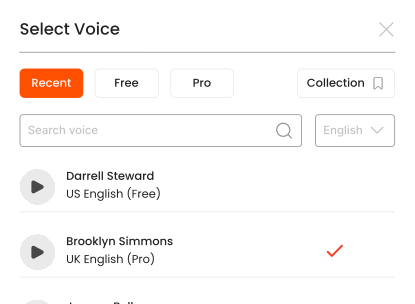
Hear the voices before you listen
Popular Tools
All-in-one PDF reader and document tools to read, convert, compress, scan, and manage files online—fast, secure, and easy to use.
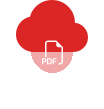









How to listen to your DOCX files.
Listening to your DOCX files hands-free is simple with ReadLoudly.
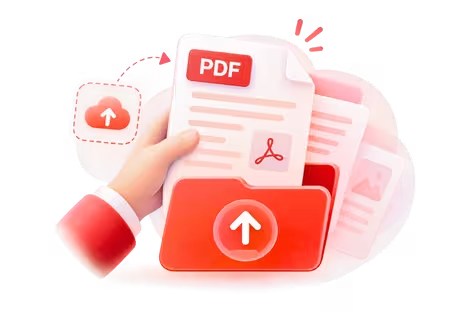
Upload Your File
Upload the DOCX files you want to listen to.

Choose Your Page
Open your file and jump to the page you want to hear.

Press Play & Listen
Hit play and let ReadLoudly read it aloud—hands-free.
What does the online DOCX reader do?
ReadLoudly's DOCX reader opens a Word document in the browser and reads it aloud, without Microsoft Word, Office 365 or any download. Upload the .docx file and the reader extracts the text in reading order, keeps headings, paragraphs, numbered and bulleted lists, and then narrates it with a natural AI voice while highlighting the sentence being spoken. Click a sentence to jump to it; change the voice or speed and playback continues from the same word.
Word files are a different problem from PDFs. A PDF fixes the page; a DOCX is a flow of text with styles attached, and how it looks depends on who opens it. The reader therefore does not try to reproduce fonts, margins or page breaks. It treats the document the way a careful reader would: it reads the body in order, follows the heading structure, reads list items one by one, and simplifies tables into their cell text. Reviewer comments and tracked changes are skipped, and the text is read as it would appear with changes accepted, which is what you want when checking a draft.
Anyone can upload as a guest and listen straight away. Signing in keeps the document in your library with its highlights, bookmarks and reading position, so a report you started reviewing on a desktop picks up on a phone. Files up to 50 MB are accepted on the free plan, which covers almost any Word document, including ones with embedded images; paid plans raise that ceiling to 500 MB.
Three ways people use it
- Proofreading a draft by ear — writers, students and anyone finishing a report upload the .docx and listen at 1× to catch the doubled words, dropped endings and clumsy sentences the eye slides over, then fix them back in Word
- Reading Word files without Word — on a Chromebook, a phone, or a machine without Office, a .docx sent by a colleague, a school or a client opens here in seconds and can be read or listened to without installing anything
- Working through long documents hands-free — policies, theses, manuscripts and meeting minutes get played through headphones on a commute or a walk, with bookmarks dropped on the passages that need a reply
Why listen instead of read?
Word documents are usually things people wrote, not things they typeset, and the fastest way to find what is wrong with your own writing is to hear it: a voice does not skip the word you meant to delete, and a sentence that runs on sounds like it runs on. For someone else's document, listening lets you get through a long report at a steady pace while your eyes rest, and the highlighted sentence makes it easy to stop and mark anything worth returning to.
Features
- Opens .docx files from Word 2007 onwards, including documents with embedded images, footnotes and multi-level lists
- Keeps headings, paragraphs and lists in reading order; tables are read cell by cell and complex layouts simplified
- Skips comments and tracked changes; reads the text as it stands with changes accepted
- The free voices your own device provides, and 1,200+ natural premium voices across 40+ languages on paid plans
- Sentence highlighting, click-to-jump, playback from 0.5× to 3× and a saved reading position
- Highlights, bookmarks and notes that sync across devices when you are signed in
- Free uploads up to 50 MB; 200, 350 or 500 MB on Core, Plus and Pro
Frequently Asked Questions
Everything you need to know about Free DOCX Reader.
No. The reader parses the .docx file itself, so it works on any device with a browser, including Chromebooks, iPads and phones that have no Office apps installed.
The reader expects the .docx format used since Word 2007. For an old .doc file, open it in Word, LibreOffice or Google Docs and save it as .docx first, or export it to PDF and use the PDF reader.
Images and charts are not narrated; there is no text in them to read. Tables are read cell by cell in row order, which works for simple tables and gets harder to follow for large ones, so those are worth reading on screen.
Yes. The free DOCX to PDF converter produces a fixed-layout PDF for sharing or printing; the reader on this page is for listening to the document as it is.
Listen With Voices That Feel Real






With ReadLoudly.com, you can easily upload any PDF document and read.
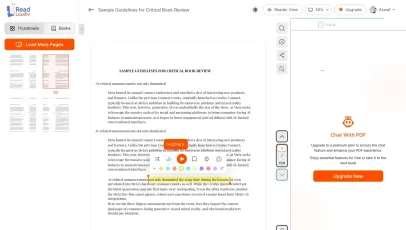
Once you're done reading or listening to a document, you can easily share.
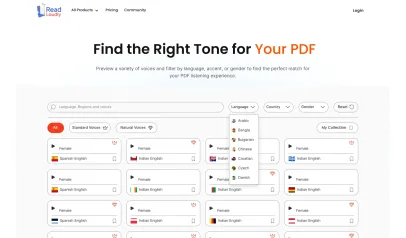

Share with Ease
Once you're done reading or listening you can easily share.

Multilingual AI Chat
Chat with PDFs, adjust voice, and translate to your language.

No Downloads Required
You don't need to download any software or plugins to use.
Similar Readers
Looking for alternatives? Check out these tools to suit your needs.
Frequently Asked Questions
Everything you need to know about Free DOCX Reader.
Upload your .docx file to ReadLoudly's free DOCX reader. It converts the Word document to speech using natural AI voices — no Microsoft Word or Office 365 needed.
Yes. ReadLoudly preserves headings, paragraphs, and text structure when reading DOCX files. Tables and complex layouts are simplified for optimal text-to-speech playback.
Yes. All annotation features — highlighting, bookmarking, and notes — work with DOCX files just like with PDFs. Annotations sync to your dashboard.
No. ReadLoudly narrates the document body as it would appear with changes accepted, and skips reviewer comments — which is what you want when proofreading a draft by ear.
Yes. Reading and listening to DOCX files is free, with no account required to start and no watermark on anything. Paid plans — Core at $5/month, Plus at $10/month, Pro at $19/month — raise the upload size limit, unlock all 1,200+ AI voices, add MP3 downloads and offline listening, and remove ads.
Yes — DOCX is fully supported on this page, and it is one of 24 formats ReadLoudly reads aloud: documents (PDF, DOCX, ODT, RTF), ebooks (EPUB, MOBI, AZW, FB2, CHM, LRF, LIT, PDB, RB), text and web files (TXT, HTML), comics (CBR, CBZ), and images (via OCR) (JPG, PNG, GIF, BMP, WEBP, TIFF, SVG). Upload a DOCX file here and it opens straight away; any other format on that list has its own reader page.
Yes. This reader runs in the mobile browser on iOS and Android — nothing to install — so you can open a DOCX file straight from your phone's Files app, an email attachment or a cloud drive. Playback continues in the background, and your position syncs to any other device you sign in on.
It is parsed to extract its text, then removed from the processing servers. ReadLoudly does not train models on your files, does not share them with third parties, and does not make them visible to anyone else. Signed-in users can choose to keep a DOCX file in their own private library; a guest upload is discarded when the session ends.
DOCX is Microsoft Word's document format. ReadLoudly opens it directly in the browser, so you do not need the original software that created it.
Every format gets its own reader page rather than being funnelled into one generic uploader, so nothing loses its format-specific handling. Nearest neighbours to DOCX among ReadLoudly's documents: ODT, RTF, PDF, PDF. The Tools page lists all of them.
Read more on the blog
Guides and comparisons from the ReadLoudly blog on getting more out of listening to your documents.

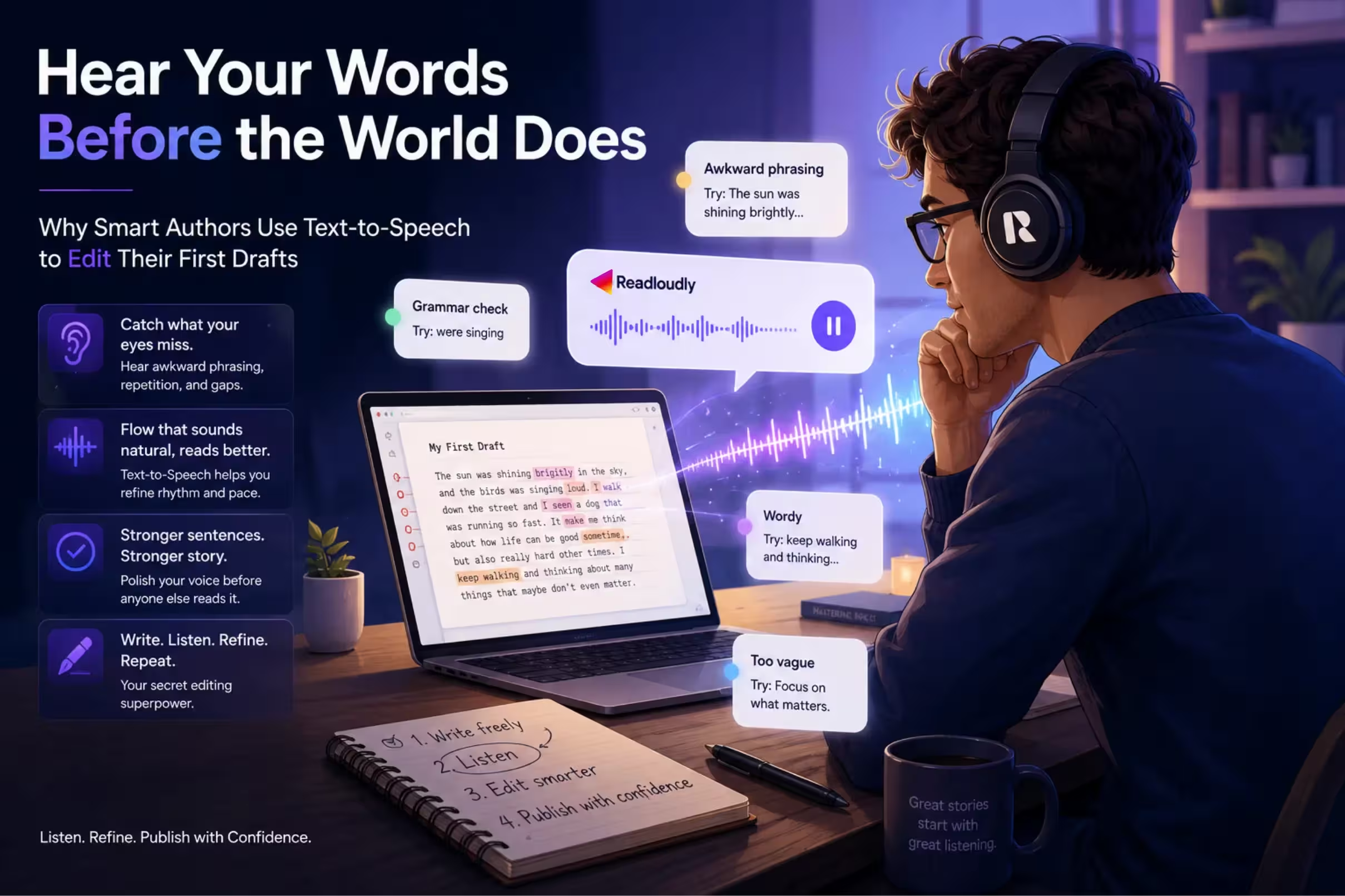

Start listening smarter today
Join 4M+ readers who've transformed how they consume content. Turn any document into an engaging audio experience in seconds.