
9 Best NaturalReader Alternatives: Best TTS Tools in 2026
The 20-minute daily cap. The 200-voice library. The confusing personal/commercial split. Here are 9 better options — tested and compared, with clear recommendations for every use case.
"The 20-minute timer ran out. Again. Mid-chapter."
NaturalReader has been in the text-to-speech game since 2006. For a tool that old, it still holds up for basic document reading. But "holds up" is doing a lot of work in that sentence.
The free plan caps out at 20 minutes per day. The voice library sits at 200+ — a fraction of what modern competitors offer. The personal plans are strictly non-commercial, meaning if you want to use the audio you create for anything beyond your own ears, you need a separate commercial subscription starting at $49/month. And with a Trustpilot score that reflects widespread user frustration, it's clear the platform hasn't kept pace with what the best TTS tools can do in 2026.
If you've hit one of those walls — the 20-minute timer, a robotic voice on a long document, a surprise paywall for a feature you assumed was included — this guide is for you.
Why Look for a NaturalReader Alternative?
Before jumping to the alternatives, here's a quick summary of what drives most users to switch:
- Free plan is too restrictive — 20 minutes per day of premium voices is frustrating for anyone doing serious reading
- Only 200+ voices — competitors routinely offer 1,000+ voices across more accents and styles
- Personal ≠ commercial — NaturalReader's personal plans don't allow commercial use; you need a separate, pricier subscription for that
- No emotion controls — you cannot direct the voice to sound excited, calm, or conversational
- OCR struggles with complex layouts — PDFs with tables, columns, or low-res scans often fail
- Dated desktop app — the interface hasn't kept up with modern web-first tools
- Customer support — slow response times are a recurring complaint in reviews
Using NaturalReader
20-minute daily cap cuts you off mid-chapter. 200 voices, most sounding flat on long documents. Personal plan forbids commercial use. OCR drops columns and tables. Support tickets go unanswered for days.
Using a better alternative
No artificial listening timers. 900–3,000+ voices with genuine stylistic range. Commercial rights included on standard plans. Clean PDF rendering for complex layouts. Responsive support when you need it.
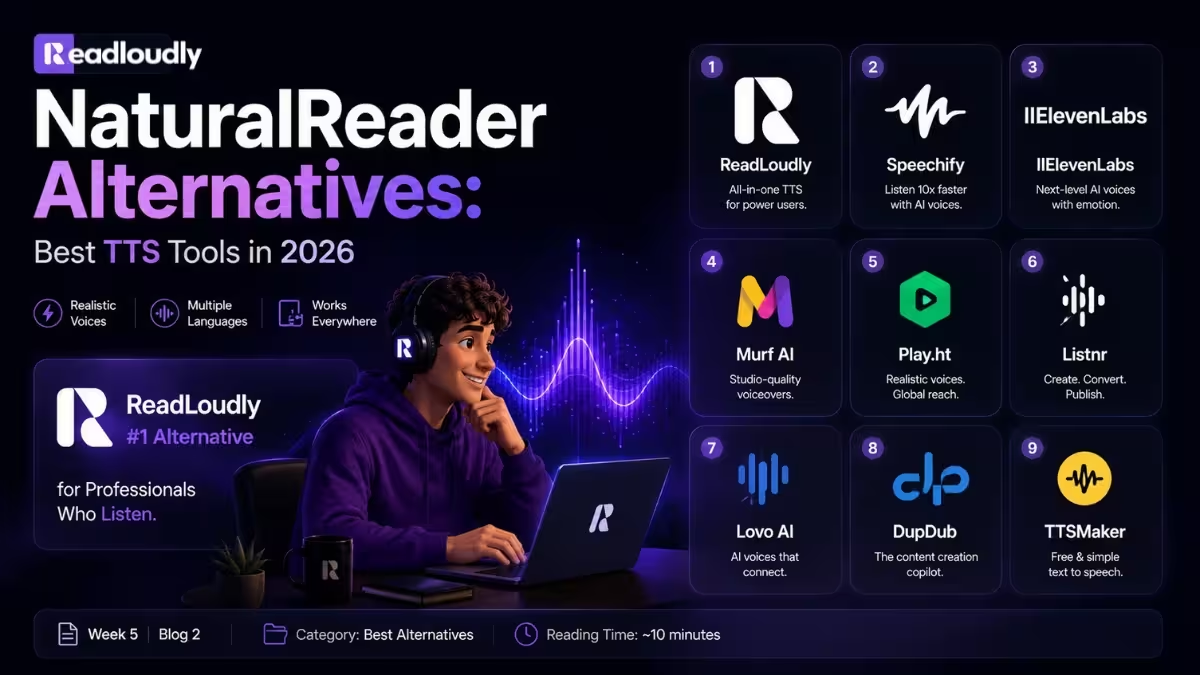
At a Glance: The 9 Best NaturalReader Alternatives
| Tool | Best For | Free Plan | Starting Price |
|---|---|---|---|
| ReadLoudly | Document & PDF reading, all users | ✅ Yes | Free |
| Speechify | Mobile-first listening, OCR scanning | ✅ Yes | $11.58/mo |
| ElevenLabs | Ultra-realistic voice quality | ✅ Yes | $5/mo |
| Murf AI | Business teams, voiceover creation | ✅ Yes | $23/mo |
| Play.ht | Podcasters, large voice library | ✅ Yes | $31.20/mo |
| Listnr | Audio content & podcast repurposing | ✅ Yes | $9/mo |
| Lovo AI | Video creators, emotional voices | ✅ Yes | $24/mo |
| DupDub | All-in-one content creation | ✅ Yes | $9/mo |
| TTSMaker | Budget users, quick conversions | ✅ Yes | Free |
1. ReadLoudly — Best Overall NaturalReader Alternative
Best for: Students, researchers, professionals, and anyone who needs to turn PDFs and documents into audio — without arbitrary time limits.
If NaturalReader frustrates you with its 20-minute daily cap and voice limitations, ReadLoudly is the most direct upgrade. It's built specifically around the core use case: upload your document, press play, and listen. No unnecessary complexity, no hidden commercial licensing traps, and no timer cutting you off mid-chapter.
ReadLoudly handles the full document reading workflow in a way NaturalReader has never quite nailed. PDFs, articles, notes, EPUB files, and web content all convert cleanly into natural-sounding audio — and the voice quality is consistent whether you're on a 3-page article or a 300-page research paper.
Where NaturalReader restricts even basic features behind paid tiers, ReadLoudly's free plan is genuinely usable. It's the tool students reach for when they need their lecture notes listened to before an exam, the one researchers use to triage 50 papers a week during their commute, and the one busy professionals rely on to stay on top of industry reading without screen time.
Key Features
- PDF, EPUB, MOBI, DOCX, and web article support
- Variable playback speed (0.5x – 3x) for precision listening
- Clean, natural AI voices optimised for long-form reading
- Mobile app for iOS and Android — listen anywhere
- No artificial daily time limits on core listening
- Notes-to-audio conversion for study sessions
- AI-powered document summarisation
✅ Pros
- Genuinely generous free tier — no 20-minute cap
- Built for document consumption, not just short-form TTS
- Smooth, natural voice rendering on long PDFs
- Intuitive interface — upload and listen in under 60 seconds
- Works seamlessly across devices
❌ Cons
- Not a commercial voiceover platform (that's not what it's for)
- Voice cloning not available (dedicated tools do this better)
| Plan | Price | What's Included |
|---|---|---|
| Free | $0 | Core document reading, generous limits, no daily cap |
| Core | $5/mo | Extended storage, additional voices |
| Plus | $10/mo | Premium voices, unlimited uploads — Recommended |
| Pro | $19/mo | Full feature access, extended storage, priority processing |
💡 Bottom line
If NaturalReader is the tool you've been using to listen to documents and you're tired of its limitations, ReadLoudly is the upgrade that fixes exactly those problems. It's faster to get started, more generous with free features, and better suited to the long-form reading sessions that matter.
2. Speechify — Best for Mobile-First Users
Best for: Students, professionals with dyslexia or ADHD who primarily listen on their phone.
Speechify is the most downloaded TTS app in the App Store, and for mobile users it earns that position. The app experience is polished, the OCR scanning feature (photograph a physical book or document and have it read aloud) is genuinely impressive, and the voice quality at premium tier is excellent.
Where it falls short is pricing. Speechify's free plan is more restrictive than it initially appears: basic voices only, speed capped at 1.5x, and a five-file library limit. The premium plan at $139/year ($11.58/month) is solid value for heavy users, but it's a significant commitment compared to the free options elsewhere.
Key Features
- 1,000+ AI voices in 60+ languages
- OCR scanning of physical documents and printed text
- Speed up to 4.5x
- Cross-platform: iOS, Android, Chrome extension, desktop
- AI summaries and document chat
- Offline listening on premium plans
✅ Pros
- Best-in-class mobile experience
- OCR feature is genuinely excellent for students
- Voice quality at premium tier is among the best for listening
- Large cross-platform ecosystem
❌ Cons
- Free plan is very limited (basic voices, 1.5x speed cap, 5 files)
- $139/year is expensive for casual users
- Aggressive upsell prompts
- Monthly billing ($29/month) is notably expensive
| Plan | Price | What's Included |
|---|---|---|
| Free | $0 | Basic voices, 1.5x speed, 5-file library |
| Premium | $11.58/mo (annual) or $29/mo | Full voice library, 4.5x speed, offline listening |
| Studio | $19–$49/mo | Voiceover creation and audio export |
💡 Bottom line
Great if you primarily listen on mobile and need OCR for physical documents. Expensive compared to alternatives for desktop/web use.
3. ElevenLabs — Best for Ultra-Realistic Voice Quality
Best for: Content creators, podcasters, e-learning producers, developers who need the most human-sounding AI voices available.
ElevenLabs is widely considered the voice quality benchmark in 2026. Its AI voices are genuinely difficult to distinguish from human speech in blind listening tests — a level of realism NaturalReader's voice library doesn't approach.
The key distinction: ElevenLabs is primarily a voice generation and content creation platform, not a document reading tool. If you want to listen to your own PDFs and articles, ReadLoudly is more appropriate. If you want to create professional audio content — narrate a YouTube video, produce an e-learning course, build a podcast — ElevenLabs is in a category of its own.
Key Features
- Industry-leading voice quality across 30+ languages
- Voice cloning from a short audio sample
- Emotion and style controls (happy, serious, whispery, and more)
- 3,000+ voices in the voice library
- API access for developers
- Dubbing and translation features
- ElevenReader app for personal document reading
✅ Pros
- Unmatched voice realism — the best AI voices currently available
- Generous free tier (10,000 characters/month)
- Voice cloning with minimal sample audio
- Strong developer API
- Emotion and style control that NaturalReader completely lacks
❌ Cons
- Not optimised for long-form document consumption
- Can get expensive at high character volumes ($99+/month for Pro)
- Learning curve for advanced features
| Plan | Price | Characters/month |
|---|---|---|
| Free | $0 | 10,000 characters, no watermark |
| Starter | $5/mo | 30,000 characters |
| Creator | $22/mo | 100,000 characters + voice cloning |
| Pro | $99/mo | 500,000 characters |
💡 Bottom line
The best voice quality available, but better suited to audio content creation than personal document listening. Use alongside ReadLoudly if you need both.
4. Murf AI — Best for Business Teams and Marketing
Best for: Marketing teams, L&D professionals, content creators who need polished voiceovers with team collaboration.
Murf positions itself as a professional studio tool rather than a personal reading assistant. Where NaturalReader is designed for individuals listening to their own content, Murf is built for teams producing audio content for external use — product demos, training videos, presentations, and explainer content.
If your need is commercial-grade voiceover production with emotion controls, team workspaces, and MP3 export — Murf covers ground NaturalReader's personal plans never touch.
Key Features
- 120+ AI voices across 20+ languages
- Emotion and pitch controls for expressive delivery
- Background music library integration
- Video sync (lip-sync audio to existing video footage)
- Team collaboration workspaces
- Pronunciation editor
- Commercial licensing included on all paid plans
✅ Pros
- Professional-quality studio interface
- Emotion controls make voice delivery genuinely expressive
- Commercial rights included — no separate commercial plan needed
- Team features for collaborative projects
- Video sync is a unique and useful capability
❌ Cons
- Overkill for personal document reading
- More expensive than personal listening tools
- Limited languages compared to some competitors
- Free plan is very restricted
| Plan | Price | What's Included |
|---|---|---|
| Free | $0 | 10 minutes of voiceover, limited voices |
| Creator | $23/mo | 2 hours/month voiceover, commercial rights |
| Business | $66/mo | 8 hours/month, team features |
| Enterprise | Custom | Custom limits, dedicated support |
💡 Bottom line
The right choice for professional voiceover production and team content creation. Not the right tool if you simply want to listen to documents.
5. Play.ht — Best for Podcasters and Content Creators
Best for: Podcasters, content marketers, and developers who need a huge voice library and ultra-realistic audio output.
Play.ht is built around two things: voice variety and audio realism. With 142 language support and one of the largest AI voice libraries available, it's a strong pick for anyone whose primary need is producing audio content for public distribution.
Unlike NaturalReader's confusing personal/commercial split, Play.ht includes commercial rights across its paid plans — which is a significant practical advantage for content creators.
Key Features
- 900+ AI voices across 142 languages
- Ultra-realistic voice quality (PlayHT 2.0 and PlayHT 3.0 models)
- Voice cloning from 30 seconds of audio
- API for developers building voice into products
- Podcast hosting integration
- Word-level highlighting on playback
- MP3, WAV, and OGG export
✅ Pros
- The largest voice library of any tool on this list
- Ultra-realistic voice generation models
- Strong developer API
- Commercial rights on paid plans
- Excellent language coverage (142 languages)
❌ Cons
- More complex than necessary for personal document reading
- Pricing is among the higher end for casual users
- Interface is geared toward creators, not casual listeners
- Free plan is limited
| Plan | Price | What's Included |
|---|---|---|
| Free | $0 | Limited characters, basic voices |
| Creator | $31.20/mo (annual) | Full voice library, commercial rights, cloning |
| Pro | Higher tiers | Expanded generation limits, API access |
| Enterprise | Custom | Custom limits, dedicated support |
💡 Bottom line
A powerful choice for podcasters and content creators who need voice variety and commercial audio output. Expensive for simple document listening.
6. Listnr — Best for Audio Content Repurposing
Best for: Bloggers, content marketers, and media teams who want to convert written content into shareable audio experiences.
Listnr bridges the gap between text-to-speech and podcast publishing. It doesn't just read text — it helps you turn that text into distributable audio content with built-in hosting, an embeddable audio player for your website, and multi-voice conversation capabilities.
If you're a content creator who wants to add audio versions of your blog posts or articles to your site (and distribute them through podcast directories), Listnr is designed specifically for that workflow.
Key Features
- 900+ AI voices in 145+ languages
- One-click blog-post-to-audio conversion
- Embeddable audio player for websites
- Podcast hosting and distribution tools
- Multi-voice conversation capability
- Custom audio branding
- Auto-share to podcast directories (Spotify, Apple Podcasts, etc.)
✅ Pros
- Unique blog-to-podcast distribution pipeline
- Very wide language coverage (145+ languages)
- Clean, modern interface
- Commercial use included on paid plans
- Good value for content creators at lower tiers
❌ Cons
- Overkill for personal document listening
- Podcast hosting adds complexity for simple TTS needs
- Voice quality doesn't quite match ElevenLabs or Play.ht
| Plan | Price | What's Included |
|---|---|---|
| Free | $0 | 10 minutes audio/month |
| Starter | $9/mo (annual) | Extended minutes, podcast hosting, commercial rights |
| Pro+ | Higher tiers | Expanded minutes, team features |
💡 Bottom line
The best pick if you want to create and distribute audio versions of written content. Underserved for personal reading use.
7. Lovo AI — Best for Video Creators and Emotional Voice Delivery
Best for: YouTubers, video course creators, and anyone who needs expressive, emotionally nuanced AI voices for visual content.
Lovo AI is built for video-first content creation. Where NaturalReader reads your documents in a neutral tone, Lovo gives you full control over how the voice sounds — adjusting pace, emphasis, emotion, and delivery style for maximum engagement in video production.
The platform includes a built-in video editor alongside its TTS engine, making it a more complete production environment than most pure TTS alternatives.
Key Features
- 500+ AI voices across 100+ languages
- 30+ emotional tones (happy, sad, angry, calm, excited, and more)
- Built-in video editor with voice synchronisation
- Voice cloning from a short sample
- Sound effects library
- API access
- Commercial licensing on all paid plans
✅ Pros
- Best emotion and tone control of any tool on this list
- Built-in video editing removes the need for separate tools
- 500+ voices with genuine stylistic range
- Strong value for video creators at mid-tier plans
❌ Cons
- Not designed for personal document listening
- The video editor adds complexity for pure audio use cases
- Higher learning curve than simpler tools
| Plan | Price | What's Included |
|---|---|---|
| Free | $0 | Limited usage, 20+ voices |
| Essential | $24/mo (annual) | 2 hours/month, video editor, commercial rights |
| Professional | $48/mo | 6 hours/month, voice cloning |
| Business | Higher tiers | API and team features |
💡 Bottom line
The strongest pick for video creators who need expressive AI voices. Unnecessary complexity for personal document listening.
8. DupDub — Best All-in-One AI Content Platform
Best for: Content creators who want TTS alongside AI writing, image generation, and video tools in a single subscription.
DupDub operates on a different premise from most tools on this list. Rather than being a best-in-class TTS tool, it's an all-in-one AI content suite that includes text-to-speech, AI writing assistance, image generation, video creation, and voice cloning under one roof.
For the creator who currently pays for multiple separate tools, DupDub's bundled approach can represent significant cost savings — even if individual features don't match the depth of specialised tools.
Key Features
- 800+ AI voices across 70+ languages
- AI writing assistant (text generation alongside TTS)
- AI image generation
- Video creation with avatar presenters
- Voice cloning
- PDF and document reading
- One-click dubbing and translation
✅ Pros
- Covers multiple content creation needs in a single subscription
- Strong value if you currently pay for separate AI tools
- 800+ voices with solid quality
- Generous free tier to explore the platform
- Commercial rights on paid plans
❌ Cons
- Jack of all trades — specialised tools outperform it in each category
- Interface can feel cluttered with features you don't need
- Voice quality doesn't match ElevenLabs or Play.ht at the high end
| Plan | Price | What's Included |
|---|---|---|
| Free | $0 | Limited access across all features |
| Pro | From $9/mo (annual) | Full TTS, AI writing, image generation, commercial rights |
| Business | Higher tiers | Team features, expanded limits |
💡 Bottom line
Smart value if you need multiple AI content tools. Choose specialised alternatives if TTS is your primary need.
9. TTSMaker — Best Free NaturalReader Alternative
Best for: Budget-conscious users, casual TTS needs, and anyone who wants zero-cost text-to-speech without sign-up requirements.
TTSMaker is the simplest tool on this list — and for many users, that's exactly the point. No account needed. No credit card. Paste your text, pick a voice, click generate. It converts text to natural-sounding audio and lets you download the MP3, completely free.
Where NaturalReader's free plan restricts you to 20 minutes per day, TTSMaker imposes no daily usage timer — though individual conversions are capped at 3,000 characters (roughly 500 words) on the free tier. For quick, one-off conversions, it removes every barrier.
Key Features
- 100+ AI voices across 40+ languages
- No account or sign-up required
- MP3 and WAV download included in free tier
- SSML (Speech Synthesis Markup Language) support
- Commercial use permitted on free tier
- Simple, distraction-free interface
✅ Pros
- Completely free with no daily time limits
- No sign-up required to use it
- MP3 download included on free tier (NaturalReader requires paid plan)
- Commercial use allowed — unlike NaturalReader's personal free plan
- Instant conversion with no queue
❌ Cons
- 3,000 character limit per conversion (short documents only)
- Voice quality doesn't reach ElevenLabs or Play.ht standards
- No mobile app or browser extension
- No document import (PDF, DOCX) — text paste only
- No speed control during playback
| Plan | Price | What's Included |
|---|---|---|
| Free | $0 | 3,000 characters/conversion, commercial use, MP3 download |
| Premium | Varies | Extended limits, higher-priority processing |
💡 Bottom line
The best zero-cost option for occasional, short TTS conversions. Not suitable for long documents or ongoing reading workflows.
The Verdict: Which NaturalReader Alternative Is Right for You?
With nine options on the table, the right choice comes down to what you're actually using TTS for:
| If you need… | Best pick |
|---|---|
| Listen to your own documents, PDFs, and articles | ReadLoudly |
| Mobile-first listening with OCR scanning | Speechify |
| Professional voice creation and best voice quality | ElevenLabs |
| Business teams producing marketing or training audio | Murf AI or Lovo AI |
| Content creators and bloggers distributing audio | Play.ht or Listnr |
| Most features at the lowest total cost | DupDub |
| Quick, free conversions with no sign-up | TTSMaker |
NaturalReader isn't a bad tool — but it's a tool that made its name in an era when its limitations were industry standard. In 2026, the 20-minute free cap, the 200-voice library, and the confusing personal/commercial split stand out more than they used to, because every alternative on this list has moved forward.
If what you need is simple: a tool that reads your documents to you, clearly and reliably, without arbitrary restrictions — ReadLoudly is where to start. It's the upgrade most NaturalReader users are actually looking for without knowing its name yet.