
JPEG to PDF
Converter
Convert JPEG Image files to Portable Document Format format quickly and easily.
Your file is ready for conversion
Review the settings below and click Convert to continue.
Congratulation
Successfully converted JPEG to PDF.
File will be automatically deleted after 8 hours
How To Convert?
Convert your files quickly and securely.
Here's how to get started:
Click on the "Upload" button to select and upload the JPEG file you want to convert. Alternatively, you can drag and drop the file directly onto this page.
Adjust the settings according to your needs, then click the "Convert JPEG" button to start the conversion process.
Click the "Download PDF" button to get your converted file.
With ReadLoudly.com, you can easily upload any PDF document and read.
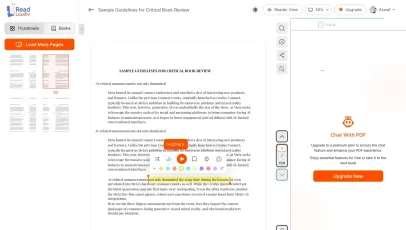
Once you're done reading or listening to a document, you can easily share.

Share with Ease
Once you're done reading or listening you can easily share.

Multilingual AI Chat
Chat with PDFs, adjust voice, and translate to your language.

No Downloads Required
You don't need to download any software or plugins to use.

Best Quality
Converted files maintain excellent quality and fidelity using industry-standard tools like Calibre and ImageMagick.
High fidelity
Free & Secure
This tool is free and works on any web browser. Files are protected with 256-bit SSL encryption and deleted automatically after a few hours.
Private & safe
Works Anywhere
Our converter runs in the browser so it works on Windows, Mac, Linux and mobile — no installation required.
Cross-platformSimilar Readers
Looking for alternatives? Check out these tools to suit your needs.