Count Words in PDF
instantly and accurately
Free online PDF Word Count Tool – instantly check word count, characters, reading time, and detailed text analysis.
Words
0
Chars
0
Sentences
0
Paragraphs
0
Reading
0 min
Speaking
0 min
Pages
0
Word Frequency Analysis
Top 5 WordsText Preview
Upload a PDF document to see the extracted text content...
How To Analyze Your PDF Document
Get detailed statistics about your PDF documents instantly.
Here's how to get started:
Click the "Upload" button or drag and drop your PDF file directly onto the page. The tool accepts standard PDF documents.
The tool automatically extracts text and calculates comprehensive statistics including word count, character count, reading time, and more.

Review detailed analytics including word frequency charts, document preview, and estimated reading times for your content.
With ReadLoudly.com, you can easily upload any PDF document and read.
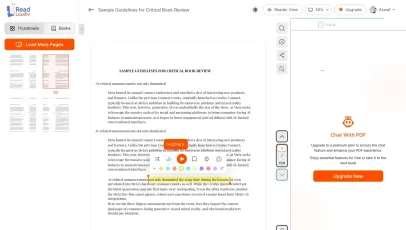
Once you're done reading or listening to a document, you can easily share.

Share with Ease
Once you're done reading or listening you can easily share.

Multilingual AI Chat
Chat with PDFs, adjust voice, and translate to your language.

No Downloads Required
You don't need to download any software or plugins to use.
Why Count Words in Your PDF Documents?
Accurate word count tools ensure you meet academic requirements. Optimize essays and research papers with reliable word counting software.
Academic Assignments
Students need precise word counts to meet essay and thesis requirements without penalties for exceeding or falling short of limits.
Academic Excellence
Research Papers
Researchers must adhere to strict journal submission guidelines that specify exact word count ranges for abstracts and manuscripts.
Journal Ready
Time Management
Estimate reading and speaking times to plan presentations, lectures, and study sessions more effectively.
Efficient Planning
Instant Analysis
Get comprehensive document statistics in seconds. No waiting, no processing delays — just instant, accurate results.
Lightning fast
Privacy First
All processing happens in your browser. Your documents never leave your device, ensuring complete privacy and security.
100% secure
Detailed Insights
Beyond basic word count — get reading time estimates, word frequency analysis, and comprehensive document statistics.
Rich analyticsUnderstanding PDF Document Analysis
PDF files require specialized processing for accurate word count extraction. Our advanced PDF word counter delivers precise, reliable results instantly.
What We Count
-
Total words across all pages
-
Characters with and without spaces
-
Sentences and paragraphs
-
Reading time (225 words/minute)
-
Speaking time (140 words/minute)
Advanced Features
-
Word frequency analysis with charts
-
Filter common words from analysis
-
Document preview for verification
-
Support for multi-page documents
-
Real-time statistics updates
Tips for Accurate Word Counting
Follow smart PDF word count best practices to ensure accurate results every time. Avoid common extraction issues by using text-based PDFs and proper processing tools.
Best Practices
-
Use text-based PDFs for most accurate results
-
Filter common words to focus on content analysis
-
Review the document preview to verify extraction
-
Check word frequency for content insights
Common Pitfalls
-
Scanned PDFs may not extract text properly
-
Image-based PDFs require OCR processing
-
Password-protected files need unlocking first
-
Complex layouts may affect accuracy
Frequently Asked Questions
Everything you need to know about counting words in PDF documents.
Our tool provides highly accurate word counts for text-based PDFs by directly extracting and analyzing the text content. The accuracy depends on the PDF quality and whether it contains selectable text. For best results, use PDFs created from word processors rather than scanned documents.
Scanned PDFs contain images of text rather than actual text data. Our tool works best with text-based PDFs. For scanned documents, you'll need to use OCR (Optical Character Recognition) software first to convert the images to text, then analyze the resulting PDF.
Yes, absolutely. All PDF processing happens entirely in your browser using JavaScript. Your documents never leave your device or get uploaded to any server. This ensures complete privacy and security for sensitive academic or research materials.
Reading time is calculated at 225 words per minute, which is the average silent reading speed for adults. Speaking time uses 140 words per minute, which is the average pace for presentations and lectures. These estimates help you plan study sessions or presentations effectively.
The filter allows you to exclude common words (like "the", "and", "or") from your word count and frequency analysis. This is useful for focusing on meaningful content words in your document. Simply enter comma-separated words in the filter field, and the statistics will update automatically.
Related Tools
Explore more PDF tools to enhance your document workflow.