
Merge & Combine PDF Files
securely and instantly
Merge PDF files online for free. Combine multiple PDFs or images into a single document easily. 100% secure, processed locally in your browser.
Combine Documents
0 files • 0 pages
How To Merge a PDF?
Combine multiple PDF files into one in seconds — no uploads, no waiting, 100% private.
Here's how:
Upload your PDF files by clicking the button or dragging them onto the page. Everything runs in your browser — nothing is sent to any server.
Drag and drop files to reorder them. You can also switch to Page mode to reorder or remove individual pages.

Click "Merge PDF" and download your combined document instantly.
With ReadLoudly.com, you can easily upload any PDF document and read.
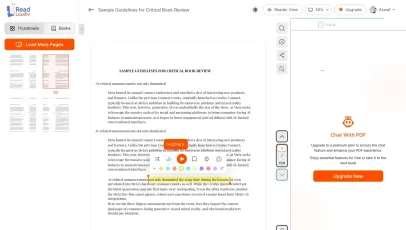
Once you're done reading or listening to a document, you can easily share.
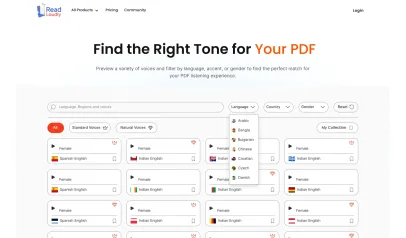

Share with Ease
Once you're done reading or listening you can easily share.

Multilingual AI Chat
Chat with PDFs, adjust voice, and translate to your language.

No Downloads Required
You don't need to download any software or plugins to use.
Why Merge Your PDF Online?
Combining documents should be effortless. Our free PDF merger lets you join files or rearrange pages with maximum security and speed.

Fast & Free
No sign-up, no waiting, no cost. Combine multiple PDFs into one document in seconds using your own device's processing power.
Zero cost
100% Private
Your PDF never leaves your browser. All merging is done client-side using PDF-lib, so sensitive documents stay completely private.
Client-side only
Simple Reordering
Easily arrange files or individual pages exactly how you want them. Drag-and-drop support makes complex merges simple.
Intuitive UIFrequently Asked Questions
You can merge an unlimited number of PDF files at once. Whether you have two documents or twenty, our tool combines them seamlessly into a single file in seconds.
Yes! You can drag and drop entire files to reorder them in "File Mode," or switch to "Page Mode" to rearrange, rotate, or remove individual pages from different documents before finalizing the merge.
Absolutely. ReadLoudly uses advanced client-side technology, meaning all merging happens directly in your browser. Your files are never uploaded to any server, ensuring 100% privacy and security for your data.
Yes, our merger supports common image formats like JPG and PNG. You can upload them alongside your PDFs, and they will be converted and merged into the final document.
No. ReadLoudly offers its core PDF tools for free. You can merge documents immediately without creating an account or paying any fees.

Start listening smarter today
Join 4M+ users who've transformed how they consume content. Turn any document into an engaging audio experience in seconds.