
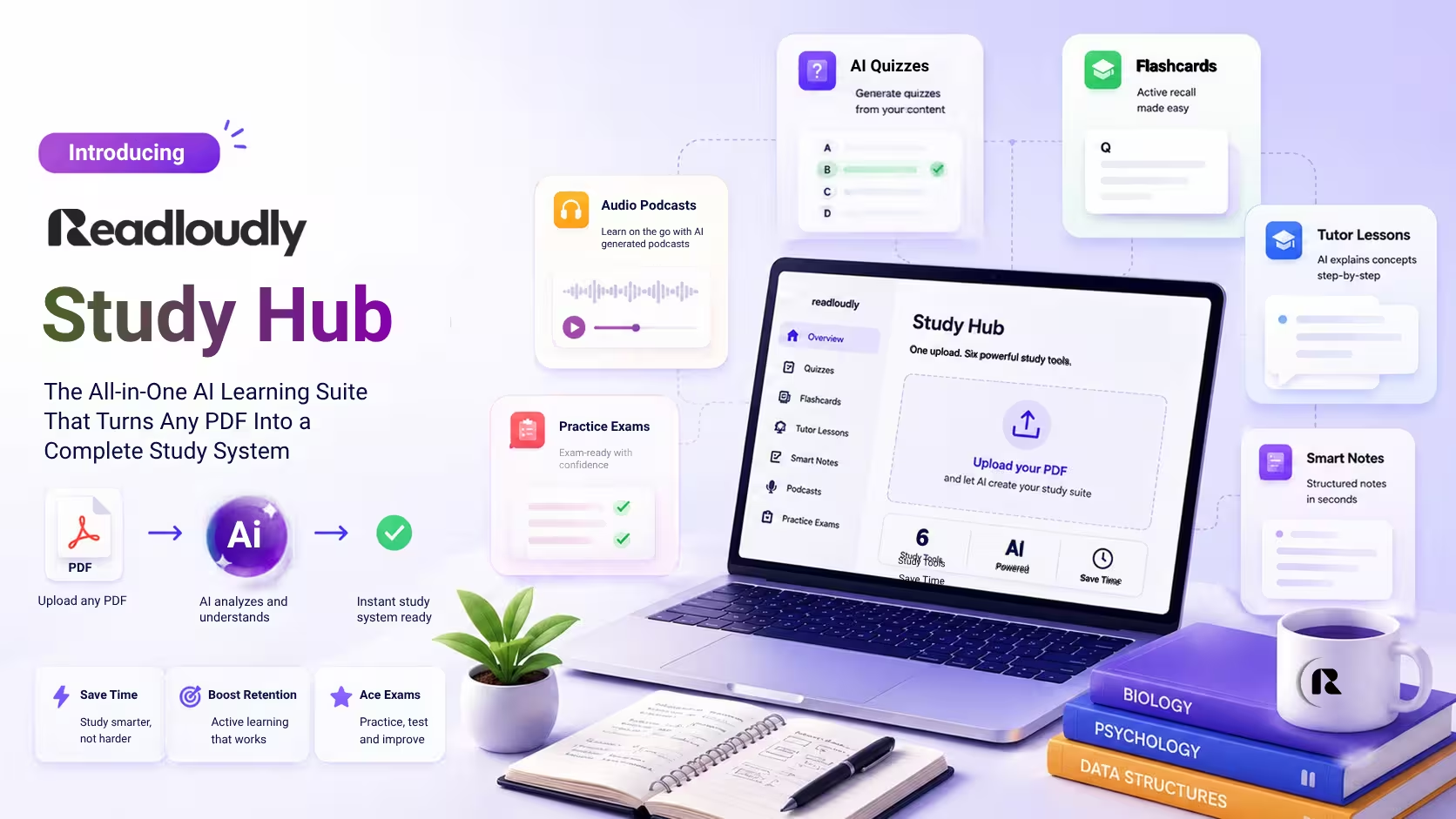
Introducing ReadLoudly Study Hub: The All-in-One AI Learning Suite That Turns Any PDF Into a Complete Study System
Students retain roughly 80% of material after one week using active recall, versus 34% for rereading alone. Study Hub automates every high-utility study technique from a single upload — one document, six ways to learn.
"In a classic experiment, students who tested themselves on a passage recalled 61% of it a week later. Students who reread it many more times recalled 40%."
Most students study the same way they did a decade ago. They highlight a textbook. They reread their notes. They make a flashcard or two the night before the exam. They hope something sticks.
Yet most study tools still deliver information in one static format — a wall of text you are expected to read, reread, and somehow remember. The problem was never the material. The problem was the format.
Today, that problem has a solution. ReadLoudly Study Hub is a complete AI learning suite built directly into the ReadLoudly platform. Upload any PDF, Word document, or EPUB file — from textbooks and lecture notes to research papers and course readings — and Study Hub instantly transforms it into six distinct learning formats: Interactive Tutor Lessons, AI-generated Multiple Choice Quizzes, Active-Recall 3D Flashcards, High-Yield Smart Study Notes, AI Audio Podcasts in four conversational styles, and auto-graded Practice Exams.
Step-by-step guides for the same workflows: how to study with AI and turning a PDF into flashcards.
One upload. One platform. Six ways to learn.
Why One Study Format Is Never Enough
Practice testing (active recall) and distributed practice (spaced repetition) were the only two of ten study techniques to earn the top "high utility" rating in a major review of the learning science — while highlighting, rereading, and summarising were rated "low utility." The methods most students use by default are among the least effective available.
But there is a second problem beyond technique: format lock-in. Even students who understand the value of active recall often use it in only one way — a single set of flashcards, one quiz attempt, one type of self-testing. Different types of questions access different aspects of memory. Multiple-choice questions test recognition. Fill-in-the-blank tests recall without cues. Written responses test synthesis and application. Audio gives you another way to revisit the same material.
Using several formats on the same material is not about studying more, but about studying more completely. Study Hub automates that multi-format approach from a single upload.
What Is ReadLoudly Study Hub?
ReadLoudly Study Hub is an all-in-one AI learning suite that converts any PDF, Word (.docx), or EPUB file into a complete, interactive study system. Upload your material once. Study Hub generates:
🎓 Interactive Tutor Lessons
AI-led lesson sessions from your exact content
❓ AI Quizzes (MCQs)
Customizable multiple-choice questions
🃏 3D Active-Recall Flashcards
Spatial flip-card memory system
📝 Smart Study Notes
High-yield summaries extracted automatically
🎙️ AI Audio Podcasts
Conversational 2-host episodes in 4 styles
📋 Practice Exams
Auto-graded fill-in-the-blank and written tests
Everything generated from your actual course material — not generic internet content, not approximate summaries. The exact concepts, definitions, relationships, and arguments in the document you uploaded.
🎓 Feature 1: Interactive Tutor Lessons
Traditional studying asks you to sit with a static document and extract understanding from it yourself. A Tutor Lesson inverts that relationship. Study Hub's AI takes your material, structures it as a progressive lesson, and delivers it interactively — the way a knowledgeable tutor would walk you through content, checking understanding at each step before moving forward. Research on carefully designed AI tutors is encouraging: in a randomised crossover trial with 194 Harvard physics students, learners learned significantly more in less time with an AI tutor than in an in-class active learning lesson. It was a short study of one physics unit, so treat it as a signal rather than proof.
Best for
First-pass learning of unfamiliar material — when you have just downloaded a new chapter or received new lecture notes and need an orientation before deeper study begins.
What makes it unique
Every tutor lesson is generated from your material specifically. Ask it to explain a concept differently, request a simpler analogy, or ask it to focus on the sections you found most confusing. The lesson adapts.
❓ Feature 2: AI Quizzes — Customizable Multiple Choice Questions
Automatically generated MCQ quizzes built from your uploaded document — the exact content your exam is likely to test, not generic questions about a broad subject area. AI-generated quizzes implement active recall — the same principle behind the testing effect, where students who tested themselves outremembered students who simply reread, even though the rereaders felt more confident. The quiz does not just test what you know; it forces your brain to retrieve information from memory, which is the act that builds the memory in the first place.
Customisation options
- Set the number of questions
- Choose difficulty level — foundational, intermediate, advanced
- Focus on specific sections or concepts
- Regenerate individual questions that don't match your exam style
The research
Testing yourself builds better long-term retention than rereading, even though rereading feels more comfortable. Getting questions wrong during practice — and then reviewing the explanation — is retrieval practice doing its job.
Study Hub's quiz explanations show why each answer is correct or incorrect, using your own document as the reference. You learn from your mistakes with the same source material your exam will test.
🃏 Feature 3: 3D Active-Recall Flashcards
AI-generated flashcards with a distinctive 3D flip animation that turns the physical memory cue of turning a card into a digital experience — delivering the same active-recall benefit with the added engagement of spatial interaction. Pair them with spaced review over several days and you are using distributed practice, the other technique that earned a top rating in the review above.
Study Hub's flashcards are
- Generated automatically from your uploaded material — no manual card creation
- 3D animated — the flip marks the moment between attempting recall and checking the answer
- Content-accurate — built from your specific source material, not general knowledge databases
- Customisable — edit any generated card to match the exact phrasing your course uses
How the 3D feature works: when you see the front of a card, your brain begins a retrieval attempt before you reveal the answer. The "flip" — even digitally, with a 3D animation — marks the moment of recall: you commit to an answer, then check it. The animation is there to make that pause feel deliberate, but the learning comes from the retrieval attempt itself.
📝 Feature 4: Smart Study Notes
Automatically extracted high-yield summaries of your uploaded material — organised by concept, prioritised by importance, and formatted for efficient review. Smart Study Notes are not a word-for-word reproduction of your source document. They are an intelligent distillation of it: the core arguments, the key definitions, the relationships between concepts, the examples that illuminate the main ideas — extracted and structured so revision is fast and targeted.
What "high-yield" means
Study Hub identifies the concepts most likely to appear in assessment based on the structure and emphasis of your document. Sections given more space, repeated in multiple contexts, or flagged as conclusions or summaries receive more weight in the generated notes — a revision document calibrated to what actually matters, not an equal-weight summary of everything present. Notes export as clean, structured text — ready to paste into Notion, print, or upload back into ReadLoudly's audio player for a listening review pass.
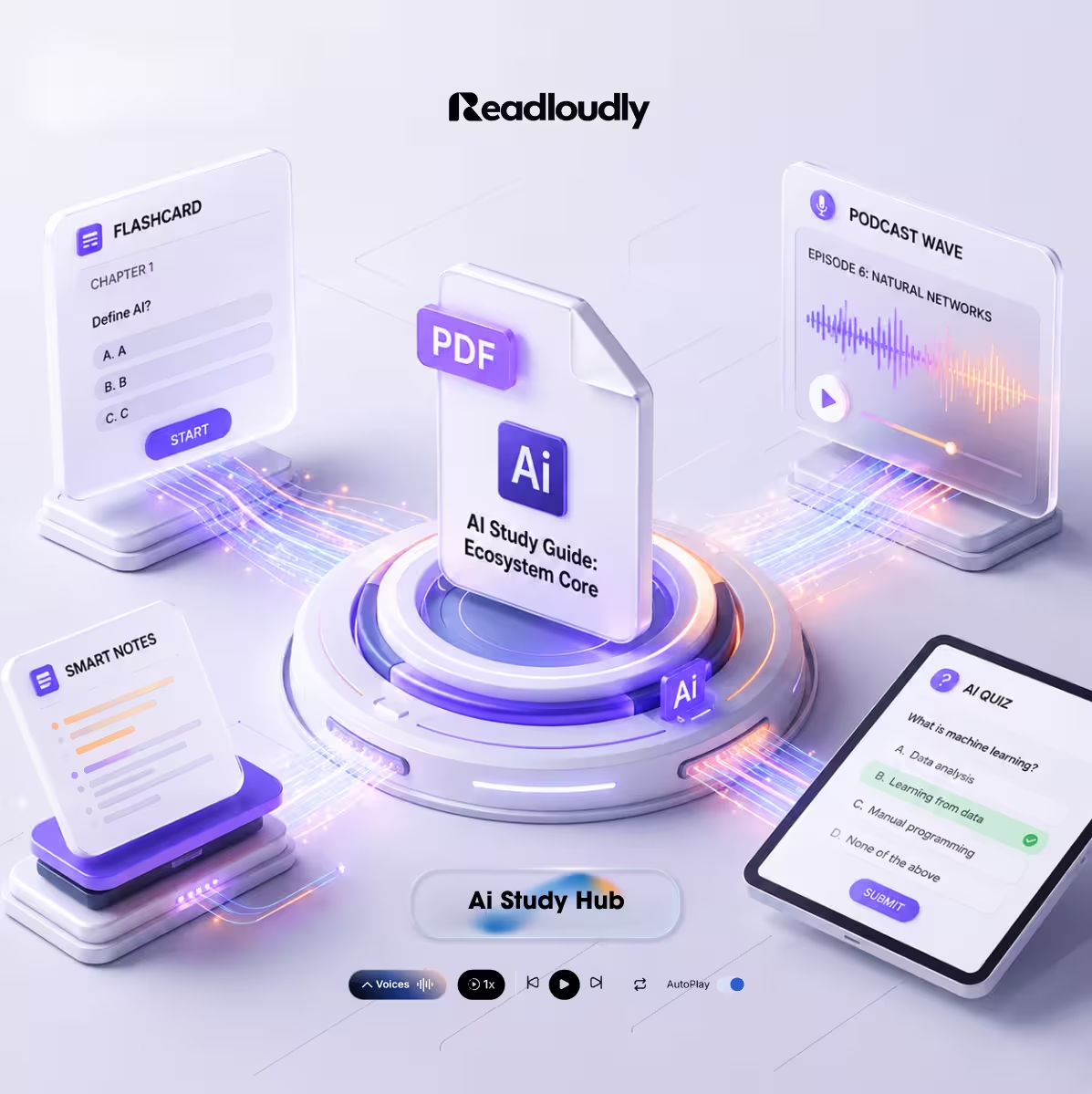
🎙️ Feature 5: AI Audio Podcast Studio — Your Document as a Conversation
A complete AI podcast generator that converts your study material into a conversational 2-host audio episode — delivered in one of four distinct styles chosen to match your learning preference and the nature of your content. Podcast-style audio is not unique to Study Hub — Google's notebook tool offers Audio Overviews too — but most study tools stop at text formats: notes, flashcards, quizzes. Study Hub does all of those, and then converts the same material into a full audio podcast episode, narrated by two AI hosts in a format that sounds less like a textbook being read aloud and more like a conversation about the topic.
| Style | What It Sounds Like | Best For |
|---|---|---|
| Casual Chat | Two friends discussing the topic conversationally | Accessible first-pass overview · commute listening |
| Deep Dive | Structured analysis — the "why" and "how" behind the facts | Complex topics requiring understanding · research papers |
| News Style | Radio news segment — clear, direct, fact-led | Factual recall subjects · timed exam preparation |
| Storytelling | Narrative framing — concepts introduced through story arc | Humanities, history, case studies |
Two things happen when study material becomes a conversational podcast. First, the format is easier to start and easier to keep listening to than a long document. Second, the conversational structure makes abstract content concrete: when one host asks the other to explain a concept simply, the response is the kind of accessible explanation that written academic prose often fails to provide. One uploaded document. Four different podcast episodes. Each suited to a different listening context, mood, and learning goal.
📋 Feature 6: Practice Exams — Auto-Graded Fill-in-the-Blank and Written Tests
Full exam simulations — fill-in-the-blank tests and written response assessments — generated from your uploaded material and graded automatically with detailed feedback. MCQ quizzes test recognition. Practice Exams test the deeper forms of knowledge that high-stakes assessment actually requires.
Fill-in-the-Blank Tests
Cloze-format questions where key terms, dates, names, and concepts are removed from context sentences extracted from your material. You supply the missing information from memory — no options provided, no recognition shortcut.
Written Tests
Open-ended response questions graded against the key points and arguments present in your source document — not a generic rubric — with specific feedback on what you covered and what you missed.
Best for law, medicine, history, economics — any subject where written response under exam conditions is the primary assessment format. Also effective for any student who wants to simulate exam pressure in advance rather than experience it for the first time in the actual room.
How Study Hub Works: 3 Steps
Getting from uploaded document to complete study system takes under two minutes.
Upload your material
Drag and drop your PDF, Word (.docx), or EPUB file. Textbooks, lecture slides, research papers, notes, case studies — any text-based document works. Study Hub's AI reads and processes it, identifying structure, key concepts, and emphasis patterns.
Choose your format
Select the study output you need: Tutor Lesson, AI Quiz, 3D Flashcards, Smart Study Notes, AI Audio Podcast, or Practice Exam. You can generate multiple formats from the same upload.
Study
Your generated content is ready immediately. Flashcards are ready to flip. Quizzes launch with your first question. Podcasts begin playing. Everything is saved to your Study Hub dashboard for return access.
Study Hub vs Traditional Study Tools
| Feature | Flashcard Apps | AI Note Tools | Study Hub |
|---|---|---|---|
| Flashcards from your PDF | ✅ | ✅ (some tools) | ✅ |
| MCQ Quiz from your PDF | ❌ | ✅ (some tools) | ✅ |
| Smart Study Notes | ❌ | ✅ | ✅ |
| AI Tutor Lessons | ❌ | ✅ (limited) | ✅ |
| Fill-in-the-Blank Tests | ❌ | ❌ | ✅ |
| Written Test with auto-grade | ❌ | ❌ | ✅ |
| AI Audio Podcast | ❌ | ✅ (some tools) | ✅ (4 styles) |
| 3D Interactive Flashcards | ❌ | ❌ | ✅ |
| Supports PDF + DOCX + EPUB | ✅ | ✅ (limited) | ✅ |
Audio overviews exist elsewhere, but Study Hub puts four podcast styles in the same place as your quizzes, flashcards, notes and exams, all generated from your own upload.
Who Study Hub Is Built For
Students (undergraduate and postgraduate)
Convert this week's lecture slides, assigned readings, and research articles into a full study system the same day they are distributed — no manual flashcard creation, no separate quiz tool.
Medical and Law Students
High-volume, high-stakes content requiring both precise factual recall and sophisticated application — Practice Exams' Written Test format with auto-graded feedback is specifically suited to this.
Researchers and Academics
Convert papers and reports into audio podcasts for commute consumption. Generate Smart Study Notes from dense academic PDFs to extract the core argument quickly.
Lifelong Learners
Any text-based content — a downloaded course, a non-fiction book, an industry report — becomes an accessible, multi-format learning experience. No formal enrolment required.
ReadLoudly tools: Study Hub · Text to Speech · PDF Reader · Ebook Reader
Study Smarter Starts Here
The way students study has not kept pace with what learning science now clearly shows works — active recall, spaced repetition, multi-modal engagement, multiple question formats, audio review during dead time. Study Hub puts all of it in one place, generated from the exact materials your course, your exam, and your learning goals require. One upload. Six formats. A complete study system in under two minutes.
Open ReadLoudly Study Hub