
The 7 AI Tools That Are Quietly Replacing Traditional Studying in 2026
A 2025 Harvard trial found AI-assisted active learning produced effect sizes of 0.73 to 1.3 standard deviations over traditional instruction — students learned twice as much in less time. Here are the 7 tools making that possible in 2026.
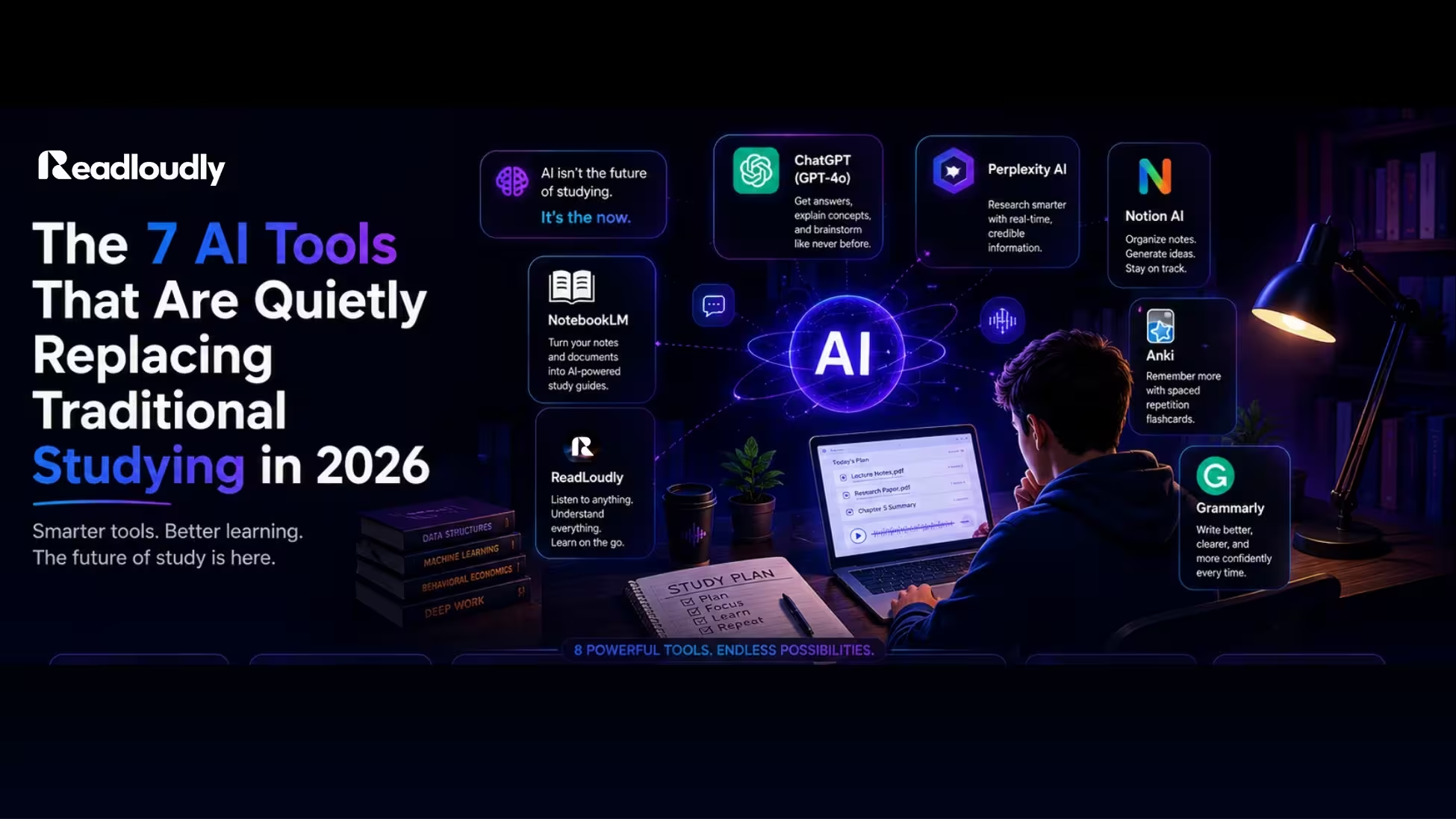
"A 2025 randomised controlled trial at Harvard found that AI tutoring built on active learning principles produced learning gains with effect sizes of 0.73 to 1.3 standard deviations over traditional instruction — students learned twice as much in less time."
Twice as much. In less time. Not with a smarter student, a better teacher, or a more expensive programme. With a different set of tools.
57% of US college students report using AI in their coursework at least weekly in 2026. But the majority of those students are using AI the wrong way — asking a chatbot to explain a concept once and moving on, rather than using the tools specifically designed to build the kind of deep, lasting retention that actually shows up in exam scores.
The students quietly outperforming their peers are not necessarily more disciplined or more intelligent. They have replaced four specific traditional study habits — passive re-reading, handwritten note cramming, solo textbook confusion, and dead-time waste — with seven tools that work the way learning science says learning actually works. This is what they are using.
Why Traditional Studying Is Losing Ground
Before the tools: a quick look at what the research says about the methods most students still rely on. A comprehensive review of ten learning techniques found that only two were rated "high utility" for long-term retention — practice testing (active recall) and distributed practice (spaced repetition). Highlighting, rereading, and summarising were rated "low utility."
Low Utility Techniques
Passive rereading, highlighting and underlining, cramming the night before. High comfort, low retention — the three things most students spend the most time on are, in terms of actual learning return, among the least effective approaches available.
High Utility Techniques
Active recall testing, spaced repetition, interleaved practice. High friction to set up manually, seamless once an AI tool handles the scheduling and generation for you.
The reason low-utility habits persist is familiarity and the feeling of productivity they create. Highlighting feels like engagement. Re-reading feels like thoroughness. A neat summary feels like understanding. But the cognitive processes that actually build memory — retrieving information from scratch, spacing reviews across time, testing yourself on material — feel harder and produce less immediate satisfaction, which is exactly why most students avoid them.
The AI tools below are not valuable because they are new or impressive. They are valuable because they automate and facilitate the specific learning processes that research consistently shows work. Students in AI-powered active learning settings achieve 54% higher test scores than those in traditional environments — and the gap is not small, and it is growing.
🥇 Tool 1: Google NotebookLM
Replaces: Re-reading your notes · Hunting through PDFs for answers · The confused textbook stare
NotebookLM lets you upload your lecture slides, PDFs, and readings directly and then functions as an AI that knows your specific course material. Ask it questions. Have it generate study guides. Request a summary of what your professor covered in week six. It will only pull from the sources you gave it — which means no hallucinated information from the general internet.
Why students love it
You are not getting generic information about the French Revolution. You are getting answers based on the exact readings your professor assigned, in the format your course covers them. The best feature is the audio overview — NotebookLM generates a podcast-style conversation between two AI hosts discussing your uploaded materials, a genuinely useful listening option before diving into detail.
- Free with a Google account
- No hallucinations from outside sources
- Requires uploading your materials before it is useful
Free tier: Fully free, no meaningful cap for regular student use
🥈 Tool 2: ChatGPT (GPT-4o)
Replaces: Office hours · Confusing textbook explanations · Searching "what does X mean" in Google
ChatGPT serves as an always-available study companion that can help students brainstorm ideas, draft essays, solve problems, and understand difficult concepts across virtually any subject. The key to using it effectively is specificity — "explain quantum entanglement as if I understand classical physics but have never studied quantum mechanics, and give me two concrete examples" returns something genuinely useful in a way that a bare "explain quantum entanglement" does not.
Why students love it
It meets you exactly where you are. Students who would never raise their hand in a lecture to ask a basic question will ask ChatGPT the same question five different ways until it clicks. The ability to ask follow-up questions is the best feature — unlike a textbook, it adjusts its explanation in real time based on what is still not making sense.
- Available 24/7 — no appointment, no waiting
- Cross-subject — literature to mathematics to law
- Can make errors on specific facts — verify critical claims
Free tier: GPT-4o mini available free, speed-limited during peak hours
🎧 Tool 3: ReadLoudly
Replaces: Passive re-reading · Dead commute time · The "I'll read this later" failure
This is the tool that changes not what you study, but when. And for most students, when is the binding constraint, not what. ReadLoudly converts any text-based study material — PDFs, lecture notes, ebooks, research papers, articles — into natural, clear audio you can listen to anywhere. Your commute, your gym session, your walk between classes, your evening household tasks all become study time without adding a single minute of screen time to your day.
"A combined AI study workflow can save 5–10 hours per week" — and ReadLoudly's contribution is unique among these tools because it does not compress your existing study time. It adds study time that did not previously exist.
How to use it for maximum exam effect: the night before an exam, upload your entire study guide, key concept summaries, and any notes from the final week of class. Listen through them at 1.25x speed while doing something light — a walk, stretching, tidying your room. This is passive consolidation, reinforcing material your brain already partially knows in a low-pressure, low-effort format. Sleep follows. The brain consolidates during sleep. You wake up with the material feeling fresher than another desk session would have produced.
| Material Type | Recommended Speed |
|---|---|
| New or difficult content | 0.9x – 1.0x — let it land fully |
| Familiar review material | 1.25x – 1.5x — efficient consolidation |
| Final pre-exam pass | 1.5x+ — wide coverage, not new learning |
Why students love it
The 30-minute bus journey that was previously spent scrolling becomes a review of this week's lecture notes. The 45-minute gym session covers a full research paper. Best feature: variable speed control with synchronised text highlighting — you hear the content and see the highlighted text simultaneously, a dual-modal approach that produces stronger retention than either listening or reading alone.
- Works with any format — PDF, EPUB, MOBI, DOCX, TXT, images via OCR
- Genuine free tier — no daily minute cap
- Adds study time without cutting into rest or social time
- Not suited for content requiring visual reference (equations, tables, code)
Free tier: Full text-to-speech, PDF and ebook reading, bookmarking — no time limits
🧠 Tool 4: Anki
Replaces: Physical flashcards · Last-minute cramming · The highlighting myth
Research consistently shows that active recall and spaced repetition are far more effective for long-term retention than passive re-reading. Anki is the gold standard AI tool for studying through spaced repetition — its FSRS algorithm schedules card reviews at the precise intervals needed to move information into long-term memory. It shows you a card, you recall the answer, you rate how easily it came, and it calculates the optimal next review date — just before you would naturally forget.
Why students love it
Medical students, law students, and language learners in particular swear by Anki for managing enormous volumes of material over months and years. A 2025 meta-analysis found spaced repetition produces a moderate-to-large effect size (d = 0.54) on long-term retention compared to cramming. Best feature: AI add-ons that import your PDF notes and automatically generate flashcards — you no longer need to write every card manually.
- Free on desktop and Android
- Massive community of shared decks for common subjects
- Initial setup takes time — not useful the night before the exam
Free tier: Completely free on desktop/Android; one-time $25 fee on iOS
🔍 Tool 5: Perplexity AI
Replaces: Google + Wikipedia + hunting for citations separately
Perplexity is an AI-powered search engine that gives you direct, cited answers rather than a list of links to evaluate. Ask it a research question and it synthesises an answer from multiple sources in real time, with citations you can trace. For an early-stage research question, it delivers a comprehensive, cited overview in seconds — no tab management, no source evaluation at the first pass, no wading through SEO-optimised listicles.
- Cited answers — every claim traceable to a source
- Real-time web access, not training-data limited
- Not a substitute for primary source engagement
Free tier: Unlimited standard searches — more than adequate for regular use
✍️ Tool 6: Grammarly
Replaces: Proofreading passes · Peer editing · The writing centre queue
Grammarly catches what your eyes miss and explains why — not just fixing errors but teaching the principles behind the corrections. One student reported reducing essay writing time from 6 hours to 2 hours using AI writing support to handle structure and polish, freeing their focus for adding unique insights rather than struggling with presentation. Best feature: clarity and concision suggestions that catch the kind of complex sentence construction that loses marks in academic writing not because it is grammatically wrong but because it does not communicate clearly.
- Integrates directly into browser, Docs, and Word
- Works across essay types, emails, and academic reports
- Advanced tone/style suggestions require premium ($12–$30/month)
Free tier: Core grammar, spelling, and punctuation — sufficient for most undergraduate writing
🎙️ Tool 7: Otter.ai
Replaces: Handwritten notes · Frantic transcription · Re-watching recorded lectures
Otter records and transcribes lectures in real time. Open the app, press record at the start of class, and focus entirely on listening and thinking — the transcript handles the word-for-word capture. The cognitive load of handwriting notes while listening splits your attention between recording and understanding; Otter eliminates the recording part entirely. 86% of students believe structured note-taking boosts their academic performance — Otter does not replace note-taking, it captures the raw material so your notes can be the product of reflection rather than transcription.
- 300 minutes free per month — roughly 10 one-hour lectures
- Searchable transcript makes retrieval instant
- 300-minute monthly cap limits use across all subjects at once
Free tier: 300 minutes of transcription per month
ReadLoudly tools: Text to Speech · PDF Reader · Ebook Reader
How the 7 Tools Work Together: The Complete Study System
The real power of these tools is not any single one. It is the workflow they create together.
During the week
- Lectures → Otter.ai transcribes automatically while you focus on understanding
- Research → Perplexity gives cited overviews; ChatGPT clarifies concepts
- Organisation → transcripts and readings uploaded to NotebookLM
- Commute / gym / dead time → ReadLoudly plays back summaries and readings
- Writing → Grammarly catches and teaches as you draft
Before the exam
- NotebookLM generates study guides and answers questions from your materials
- Anki surfaces the cards you are about to forget, in the order you need them
- ReadLoudly plays a final audio pass of key summaries the night before
A combined AI study workflow saves 5–10 hours per week — hours that compound across a semester into significantly better preparation with less total effort.
The One Distinction That Matters
"The thread running through all of this: the techniques that build memory are active recall and spaced repetition. The best AI study tools are the ones that automate those two things rather than just generating text."
The temptation with AI is to use it for passive consumption — read the summary, close the tab, move on. Passive consumption feels like learning. It produces very little of it. The tools above, used correctly, make active learning easier: the Q&A with NotebookLM, the self-testing with Anki, the retrieval practice of speaking answers aloud while ReadLoudly plays back your notes. The AI does not do the learning for you. It removes the friction that was stopping you from doing it yourself.
92% of students use generative AI — but most rely on general-purpose chatbots that lack study-specific features like spaced repetition, active recall, and practice tests. The students using the tools above are not using AI more than their peers. They are using it differently — in ways that align with how memory actually forms, how attention actually works, and how time is actually distributed across a student's day. The gap between those two groups of students is already visible in exam results, and it is widening.
The Grade Gap Is Already Opening
The seven tools are free to try. The time it takes to set them up — an afternoon, generously — pays back in hours every week for the rest of the semester. Start with ReadLoudly: upload your next reading, press play on your next commute, and let the study session happen in time you were spending anyway.
Try ReadLoudly Free at ReadLoudly.com