
AI Voice Generator for Dyslexia and ADHD: The Complete 2026 Guide
Discover how AI voice generators help dyslexia and ADHD students reduce reading fatigue, improve focus, and study faster with OCR and guided audio workflows.
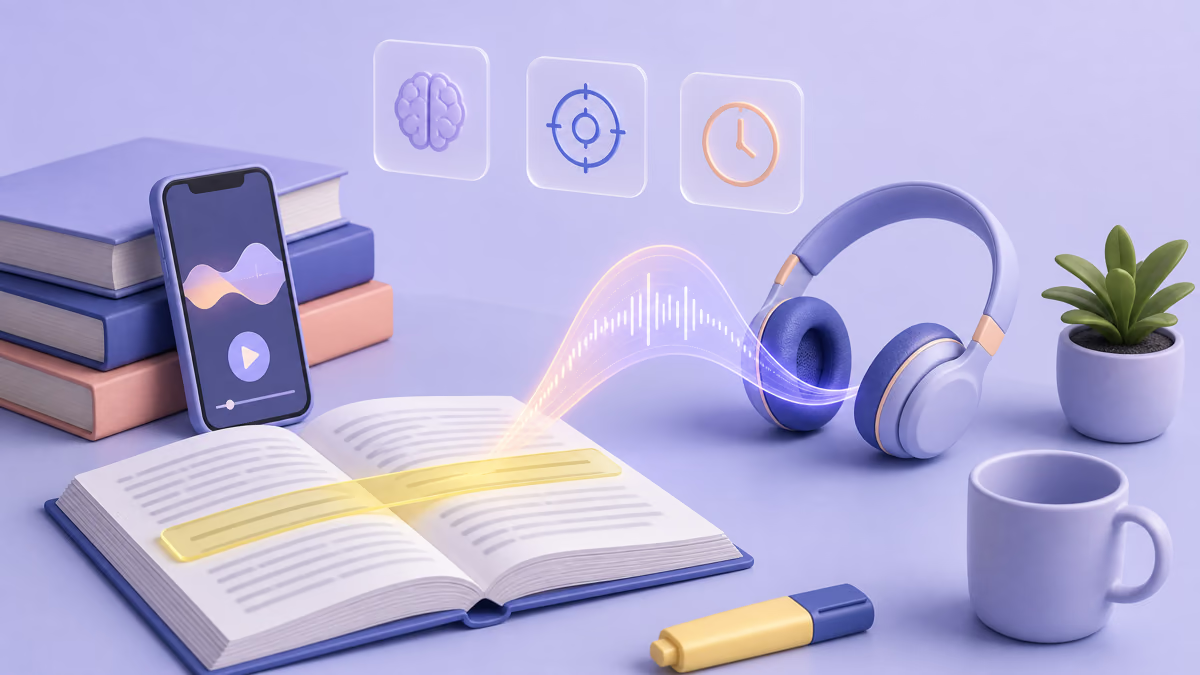
Finding the right AI voice generator for dyslexia and ADHD can change how students handle reading-heavy coursework. Instead of forcing long visual sessions that drain attention, you can convert notes and textbooks into guided audio, keep momentum through short study blocks, and protect cognitive energy for comprehension.
If you want to try this workflow immediately, open the ReadLoudly PDF reader, upload one chapter, and run a 20-minute listen-and-highlight session today.
Quick Answer: What is an AI voice generator for dyslexia and ADHD?
An AI voice generator for dyslexia and ADHD converts text into natural speech and often adds OCR, highlighting, and speed controls. This helps students reduce decoding strain, stay focused for longer, and complete reading assignments through a repeatable audio-first study routine.
What is an AI voice generator for dyslexia and ADHD?
It is a specialized text-to-speech solution designed for learning, not just narration. The strongest tools combine natural voices, scanned-document OCR, synchronized highlighting, note capture, and cross-device progress to support real academic workflows.
How is it different from a basic screen reader?
Basic screen readers focus on interface navigation and accessibility controls. AI voice study tools focus on reading quality, retention support, and long-form listening comfort for textbooks, essays, and class packets.
Why it matters: key benefits for neurodivergent learners
- Lower decoding pressure: Audio reduces the cognitive load of visual word-by-word parsing.
- Better focus stability: Pacing and voice rhythm help reduce attention drift.
- Higher retention: Listening with highlighted text supports dual-channel learning.
- More study time: Commutes and walks become productive review windows.
- Improved confidence: Students can keep up with reading targets without burnout.
Step-by-step guide: build a high-retention study workflow
- Upload source material: Add PDF, DOCX, or scanned handouts and enable OCR when needed.
- Choose voice and speed: Start at 1.0x and adjust by subject complexity and attention span.
- Turn on highlighting: Follow text visually while audio plays to reduce skipped lines.
- Capture key notes live: Save timestamps or bullet notes during listening, not after.
- Run a recap pass: Re-listen to marked sections before quizzes or assignment deadlines.
Want faster results? Start with one difficult class this week and track completion time before and after switching to audio.
Best tools and solutions: what to look for first
Must-have feature checklist
- Natural AI voices for long sessions without listening fatigue
- OCR for scanned textbooks so image-based files are usable
- Word or line highlighting for guided tracking
- Playback controls with granular speed options
- Bookmarks and notes for exam prep and revision loops
- Cross-device sync to continue from phone, tablet, or laptop
Where to start if you are new
Start with listening to PDFs online, then layer in proofreading with text-to-speech and research paper listening workflows as your course load increases.
Free options to try first
You can test an audio-first routine for free today. Most devices already read text aloud, and two organizations supply accessible books to students who have a documented print disability.
Tools already on your device
- Microsoft Edge Reading mode: Microsoft's support page describes read aloud with natural sounding voices, plus controls to change the voice and the reading pace. It works on supported web pages.
- Google Chrome Reading mode: Chrome's help says read aloud downloads Google natural voices for your language, offers speed controls, and can highlight by word or sentence. It does not work on every website.
- Apple Spoken Content: Speak Selection and Speak Screen live under Settings, Accessibility, Spoken Content. The default voice is compact; higher-quality Enhanced voices are optional downloads that can be 100 MB or larger.
- Android Select to Speak: it reads selected items on screen, can keep reading in the background, and includes camera text recognition for printed pages.
- Word Read Aloud and Immersive Reader: available in Office 2019, Office 2021 and Microsoft 365 documents, with highlighting as it reads. Word itself is a licensed product, so check whether your school provides it.
These tools share one limit. They need a real text layer, so a scanned textbook page that is only a picture of text usually stays silent until someone runs OCR on it. The phone camera routes work on scans, but they capture one page at a time, which gets slow across a whole chapter.
Programs for students with a documented print disability
Bookshare defines a print disability as "any condition that makes it difficult or impossible to read standard printed text or text on a screen." It does not require an IEP or a 504 plan. Eligibility is confirmed by a professional with relevant expertise, such as school staff, a medical or mental health provider, or a librarian. Bookshare says qualifying U.S. students can join at no cost through an award from the Office of Special Education Programs.
Learning Ally is a paid membership, listed at $135 a year per household, with more than 80,000 human-narrated titles. Its pricing page mentions fee waivers and discounts, and says many families qualify through their school, an IEP or 504 plan, household income, or ESA funds.
Both work from a catalogue. If your exact edition is in it, you get an accessible copy with no extra work. If it is not, or the reading is your own lecture notes, a scanned handout or a professor's PDF, you need a reader that takes your own files. Your school's disability services office can tell you what you qualify for and how to document it.
What ReadLoudly covers on the free plan
The free plan covers the core of an audio-first routine without spending any credits. It reads with the voices your own device provides, so the voice quality depends on your phone, tablet or computer.
- Free plan voices: your device's own voices, no credits used.
- Processing: documents are processed 10 pages at a time. When you finish a batch, you load the next 10.
- Uploads: files up to 50 MB, with or without an account.
- OCR: included on the free plan, so scanned handouts and photographed pages can be read too.
- File storage: guest files are kept for about 24 hours. With an account, a book is kept for 30 days after you last open it.
- Ads: the free plan shows ads.
For a chapter-by-chapter routine, 10-page batches fit naturally: load the section you are studying, listen, then load the next. If you want a whole textbook processed in one go, that is where a paid plan comes in.
Paid plans use voice credits for the natural-sounding ReadLoudly voices. One credit buys 4 characters on a Standard voice or 1 character on a Natural voice, and the listening hours below are rough estimates.
- Core, $5 a month: 100K credits, about 9.6 hours of Standard voice or about 2.4 hours of Natural voice. Uploads up to 200 MB.
- Plus, $10 a month: 200K credits, about 19 hours Standard or 4.8 hours Natural. Uploads up to 350 MB.
- Pro, $19 a month: 400K credits, about 38 hours Standard or 9.6 hours Natural. Uploads up to 500 MB.
Paid plans also process whole documents at once, remove ads and include AI podcasts. The details are in the full ReadLoudly plan table. If a device voice already sounds comfortable to you, there is no reason to pay yet.
Use cases: who benefits most?
College students with reading-heavy schedules
Convert weekly reading packets to audio and review while commuting, walking to class, or during low-energy windows.
Graduate students and researchers
Screen papers in audio first, then deep-read key sections. This hybrid method improves throughput and reduces fatigue in literature-heavy programs.
Multilingual and language learners
Combine accessibility workflows with pronunciation practice using text-to-speech for language learning.
Students transitioning into workplace reading
The same system helps with long reports, onboarding docs, and policy reading after graduation. If needed, extend into long-form conversion via PDF-to-audiobook workflows.
Common problems and practical solutions
Problem: voice sounds robotic and tiring
Solution: Switch to neural voices, lower speed slightly, and test alternate accents for clearer phoneme recognition.
Problem: still overloaded by long reading lists
Solution: Use priority tiers. Listen to abstracts and conclusions first, then deep-read only high-value documents.
Problem: scanned files are unreadable
Solution: Enable OCR before playback and verify text extraction quality on the first two pages.
Problem: mind-wandering during playback
Solution: Use 15- to 25-minute focus blocks with highlighting and note prompts at section breaks.
Comparison: which study approach works best?
| Approach | Best For | Strengths | Limitations |
|---|---|---|---|
| Visual-only reading | Short, simple content | Direct control of pace | High fatigue for long sessions |
| Basic screen reader | Navigation accessibility | Strong UI support | Lower narration quality for study |
| AI voice + highlighting | Daily coursework | Improved focus and retention | Needs setup and routine |
| AI voice + workflow system | Exam prep and heavy semesters | Best balance of speed and consistency | Requires discipline for note capture |
Tips and best practices for better outcomes
- Keep study blocks short and repeatable (15 to 40 minutes).
- Use one primary voice per subject to reduce adaptation cost.
- Tag difficult sections while listening for targeted revision.
- Pair audio review with weekly concept summaries.
- Use headphones in noisy environments to improve attention stability.
- Keep one backup format of notes for fast pre-exam review.
A one-week trial routine you can run before deciding
Run one small experiment for a week, then judge the tool by your own numbers rather than by claims.
- Day 1, pick one class: choose the course with the heaviest reading and note how long one chapter normally takes you.
- Day 2, set up the file: upload that chapter, check the first two pages for extraction errors, and pick a voice you can tolerate for 20 minutes.
- Days 3 and 4, listen with the text open: use highlighting, start at normal speed, and write a one-line note at each heading.
- Day 5, nudge the speed: raise it a little and see whether comprehension holds. If you start losing the thread, step back down.
- Day 6, recap by ear: re-listen only to the sections you flagged and write three questions you could be asked on them.
- Day 7, compare: how long did the chapter take, how tired were you, and what could you explain without looking?
If the numbers improve, keep the routine and decide whether the free plan is enough. If they do not, try a different voice or a shorter block length before giving up on audio.
Mistakes to avoid
- Using one speed for every subject and difficulty level.
- Skipping OCR checks on scanned files.
- Listening passively without note capture.
- Treating audio as a full replacement for all deep reading.
- Choosing tools without clear privacy and data policies.

Where audio alone falls short
Listening is a reading aid, not a complete study method. A few kinds of material still need your eyes or extra support.
- Tables, equations and figures: a voice reads symbols and charts poorly. Keep the page open and work through them visually or with a tutor.
- Technical terms and names: synthetic voices can mispronounce them. Check unfamiliar words against the text so a wrong sound does not become a wrong memory.
- Passive listening: audio at the edge of your attention leaves little behind. Pair it with notes and recall questions.
- Reading skill itself: if decoding is a daily struggle, audio gets you through the assignments but is not a substitute for reading instruction.
This guide describes study tools, not diagnosis or treatment. If you suspect a reading difficulty or attention difficulty, talk to your school's disability services office or a qualified professional.
Future trends and insights
Next-generation accessibility tools are moving toward adaptive pacing, context-aware pronunciation, and AI-generated recap quizzes after each listening block. We are also seeing tighter integrations with learning platforms, which will make accommodation workflows smoother across classrooms and institutions.
Conclusion: build a study system that works with your brain
Students with dyslexia and ADHD do not need more pressure. They need better input systems. A strong AI voice workflow helps convert reading friction into steady progress across classes, assignments, and exam periods.
If you want the research rather than the pitch — what the measured effect sizes are, how the dyslexia and ADHD evidence differ, where text-to-speech stops helping, and how to get it written into a 504 plan — read what the evidence actually shows about text-to-speech for dyslexia and ADHD.
Start with one class this week, measure your focus and completion time, then scale. Ready to test it? Open ReadLoudly and run your first guided audio session now.
The goal is not to read like everyone else. The goal is to learn at your highest level.