
ReadLoudly vs Audeus: Which Reader Fits How You Study?
Audeus is a focused listening reader. ReadLoudly reads aloud too, and also turns the same document into quizzes, flashcards, notes, podcasts and homework help. Here is the price, free plan, voices, files, scans, offline listening and study tools, side by side and dated.

Audeus and ReadLoudly both read documents aloud, but they are built for different jobs. Audeus is a listening-first reader with study features of its own: it highlights each word as it speaks, lets you choose which parts of a PDF to skip, keeps pen and highlight annotations beside the audio, and answers questions about the document with cited chat. ReadLoudly is a wider AI study and document platform: it reads aloud too, and it also turns the same file into quizzes, flashcards, notes, practice tests and podcasts, solves homework questions, and includes PDF tools. If you mostly want to listen, Audeus is a strong specialist. If you also want to study from what you read, ReadLoudly adds quizzes, flashcards, notes and PDF tools in the same account.
Figures last verified: . Audeus figures come from Audeus's own pages and its app-store listings. ReadLoudly figures come from our own product and plans. We make ReadLoudly, so we show where Audeus is ahead as plainly as where we are.
Key Takeaways
- Audeus is the stronger pure listening tool. It offers word-by-word highlighting, configurable skips for citations and footnotes, pen and shape annotations, speeds up to 3.5x and an offline mobile app.
- ReadLoudly adds study and document tools. Study Hub (tutor lessons, quizzes, flashcards, fill-in-the-blanks, notes, written tests, AI podcasts), a homework solver, Teacher Hub, PDF tools, file converters and flipbooks.
- Price differs a lot at the entry point. Audeus Pro is $19 a month or $9.92 a month billed annually. ReadLoudly paid plans are $5, $10 and $19 a month, and new sign-ups get 10% off for 3 months if they buy within 3 days.
- Both have free plans, but they describe them differently. ReadLoudly states its free limits (10 pages at a time, 50 MB, OCR included). Audeus does not publish numbers for its free allowance.
- Details are dated and sourced. Offline listening, audio export, translation and upload limits are stated below with where each figure comes from.
What Each Tool Is Built For
Audeus describes itself as a text-to-speech reader that converts your PDFs, documents and other text into natural-sounding speech. Everything in the product serves that loop: open a document, listen, follow along, mark it up and ask the document questions.
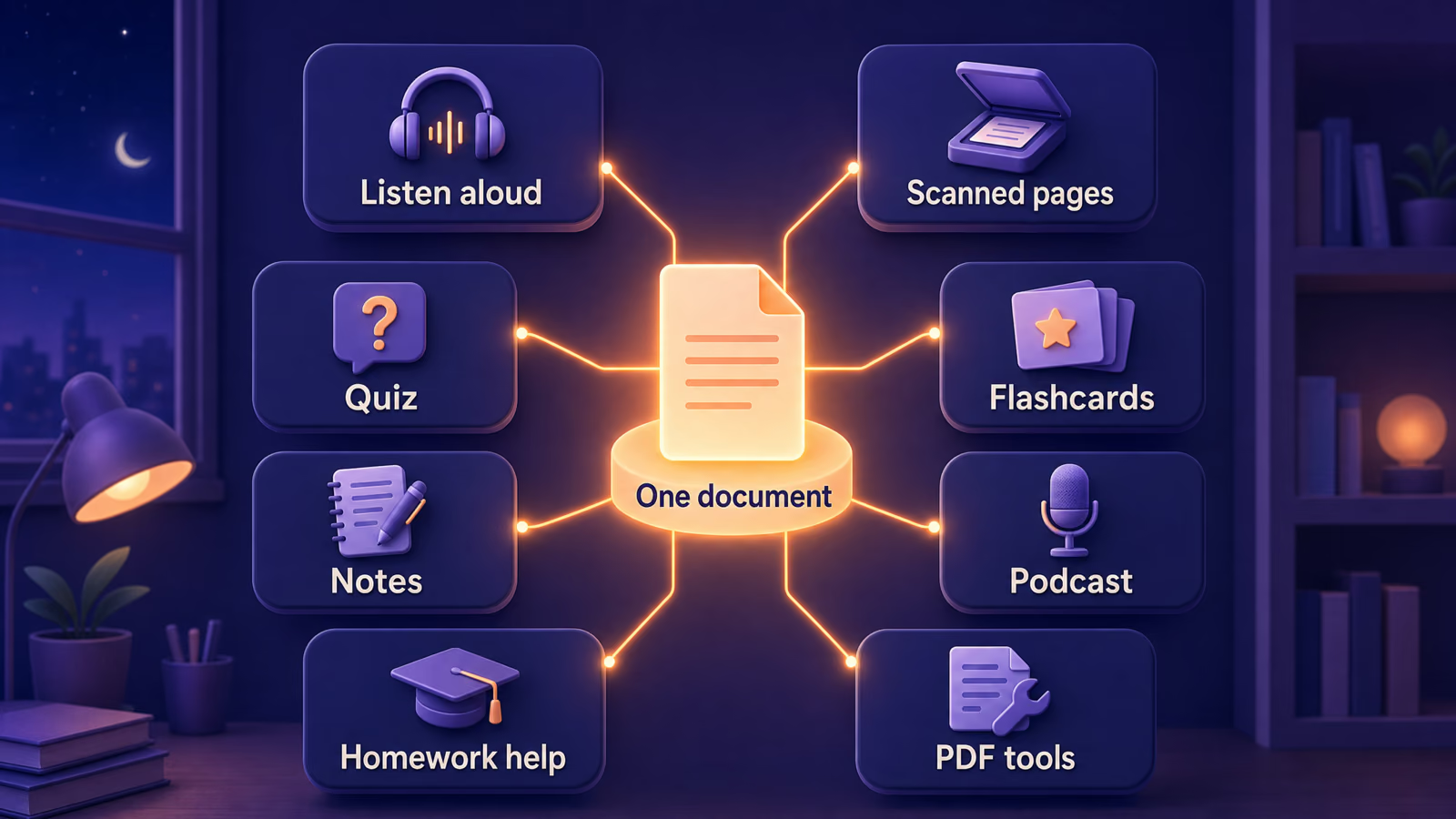
ReadLoudly starts from the same place, a document you upload, but treats listening as one of several things you can do with it. One file can become:
- Audio. Listen with free device voices or with premium voices that use credits.
- Readable text from scans. OCR is included on the free plan, 10 pages at a time.
- Study material. Tutor lessons, multiple-choice quizzes, flashcards, fill-in-the-blanks and notes on the free plan (2 documents a day), plus written tests and AI podcasts on paid plans.
- Homework help. Type a question or add a photo and get a step-by-step answer.
- Classroom material. Teacher Hub builds nine kinds of activity from a document and shares them by link.
- A cleaner file. Edit, split, extract, merge and compress PDFs, convert between file types, or turn a PDF into a flipbook.
ReadLoudly and Audeus Side by Side
Each row states what the product offers today. "Not advertised" means we found no mention in the company's feature summary, help pages or sitemap on 23 October 2026. That is not proof the feature is absent. Numbered notes under the table carry the caveats and sources.
| Feature | ReadLoudly | Audeus |
|---|---|---|
| Listening | ||
| Voices | 1,200+ voices | 150+ voices1 |
| Languages | 40+ | 50+ |
| Top speed | 2.5x | 3.5x on Pro |
| Highlighting | Sentence by sentence | Word by word |
| Skip citations, footnotes, headers | Not advertised | Configurable Smart Skips |
| Files and scans | ||
| File types | PDF, images, DOC, DOCX, EPUB, MOBI, AZW3, FB2, CBZ, TXT, HTML, RTF | PDF, DOC, DOCX, non-DRM EPUB, images, text. No MOBI. |
| Largest upload | 50 MB free; 200, 350 or 500 MB on paid plans | 400 MB in its help pages, 150 MB on its comparison pages2 |
| Scanned pages (OCR) | Free plan, 10 pages at a time | Pro plan, with camera, batch and handwriting scanning |
| Study and AI | ||
| AI chat on the document | Yes; 5 a day on the free plan, more on paid | Yes, with citation links; limited on the free plan |
| Quizzes and flashcards | Dedicated tools, free plan included | Through chat prompts; no dedicated tool advertised3 |
| Notes and markup | AI notes, an editor, highlights, bookmarks | Highlights, pen, shapes, comments |
| Free-plan study allowance | 2 documents a day (PDF, DOCX or EPUB) | AI chat limited on free; numbers not published |
| AI podcast from a document | Yes, two hosts, paid plans | Not advertised |
| Homework solver | Yes; 2 a day on the free plan | Not advertised |
| Teacher tools | Teacher Hub, nine tools | Not advertised |
| PDF tools | Editor, split, extract, merge, compress, 40 converters | Not advertised |
| Price and access | ||
| Paid plans, per month | Core $5, Plus $10, Pro $19 | Pro $19 |
| Paid plans, per year | Core $50, Plus $100, Pro $190 | Pro $119 ($9.92 a month) |
| Discounts | New sign-ups: 10% off any plan for 3 months if you buy within 3 days | Student code SCHOOL50: 50% off a first subscription (.edu emails) |
| Free plan limits | Stated: 10 pages at a time, 50 MB | Not published4 |
| Voice cloning | Not offered | Not offered |
| Offline listening | Not offered | Mobile app, with fallback voices5 |
| Audio export | Pasted text and Study Hub podcasts | Not offered |
| Where you use it | Web app in any modern browser | Web, iOS, Android, four browser extensions, Canva |
Notes
- Audeus says 150+ voices on its website and 120+ on its App Store and Google Play listings. The full list of Audeus voices is not visible without logging in. A voice count says nothing about quality, so test both.
- Audeus's help pages say uploads of "large files up to 400 MB". Its own comparison pages say it limits PDF uploads to 150 MB. We could not tell which is current.
- Audeus's help center offers prompt templates, such as a quiz prompt, for its AI chat. That works as a quiz, but it is not a dedicated quiz or flashcard feature.
- Audeus describes its free plan as "limited" Pro voices, uploads and AI chat, with a daily credit allowance (help center). No number of minutes, pages or files is published there or on its pricing page.
- Audeus's mobile apps list offline support. Its AI voices in the web player need an internet connection, and uploads are not available offline.
Price and Free Plan
Audeus Pro costs $19 a month, or $9.92 a month billed annually (about $119 a year) on its pricing page. It offers a 3-day Pro trial that, by its own comparison page, requires a credit card and renews automatically. Its terms say "All sales are final. We may offer refunds in our sole discretion.", and its help center says it does not offer prorated refunds. Audeus also publishes a student code, SCHOOL50, worth 50% off a first subscription for individual .edu emails. In its iOS app, Audeus lists in-app purchases of $6.99, $24.99 and $129.99 without labelling them, so prices bought there can differ from the web.
ReadLoudly paid plans are Core at $5 a month, Plus at $10 and Pro at $19, with Core at $50 a year, Plus at $100 and Pro at $190. The full breakdown, including prepaid voice credit packs, is in the ReadLoudly plan table.
New-user offer. New ReadLoudly sign-ups get 10% off any plan for their first 3 months if they buy within 3 days of creating their account. The offer appears in the pricing page of your dashboard after you sign up. Audeus's student code is a bigger discount for students (50% off a first subscription), but it needs an .edu email.
Price alone does not decide this, because the two plans meter usage differently. ReadLoudly's premium voices use credits: Core includes 100K a month, roughly 9.6 hours of Standard voice or 2.4 hours of Natural voice, and those hours are estimates. Free device voices use no credits. Audeus's help center says Pro has no AI chat query caps or daily credit restrictions, so heavy listeners may find a flat plan easier to plan around. ReadLoudly's free plan shows ads and paid plans remove them.
The free plans differ too. ReadLoudly's free plan reads with the voices your device provides, processes documents 10 pages at a time (you can load the next 10), accepts uploads up to 50 MB with or without an account, and includes OCR. It also allows 5 AI chat messages and 2 study documents a day. Guest files are kept about 24 hours, and accounts keep a book for 30 days after you last open it. To see every free tier's limits in one table, read how every free tier counts its limits.
File Types, Scanned Pages and Long PDFs
Both tools read PDFs, Word files, EPUB and images. ReadLoudly accepts more book formats, including MOBI, AZW3, FB2 and CBZ. Audeus reads non-DRM EPUB natively and says Kindle files must be converted first (its EPUB help page).
Scanned pages are where the plans differ most. A scanned page is a picture, so a reader needs OCR before it has any text to speak. ReadLoudly includes OCR on the free plan, for guests too, and processes 10 pages at a time. The OCR prompt in the reader offers 12 languages. Audeus keeps OCR on its Pro plan, and its scanning help page describes camera scanning, batch scanning and handwriting recognition on mobile, which ReadLoudly does not match. ReadLoudly's study tools take PDF, DOCX or EPUB files with real text, so a scan goes through OCR in the reader first. For the capture steps that decide whether a scan reads well, see scanning a book to audio, or see how ReadLoudly reads scanned pages.
Long documents. On ReadLoudly's free plan a long PDF is read in blocks of 10 pages, and paid plans process the whole document. Audeus's configurable Smart Skips are built for long academic PDFs: you can skip citations, footnotes, tables, URLs, headers and page numbers while keeping the text visible.
Voices, Speed and Highlighting
ReadLoudly offers 1,200+ voices in 40+ languages, plus the free voices your own device provides. Audeus lists 150+ voices in 50+ languages. Audeus advertises more languages (50+ against ReadLoudly's published 40+) and ReadLoudly lists more voices, and neither number tells you how a voice sounds over an hour of reading. Play a sample page in both before you commit.
Two listening details favour Audeus. Its Pro speed reaches 3.5x, against 2.5x in ReadLoudly. And it highlights each word as it is spoken, while ReadLoudly highlights the current sentence. Both tools let you jump around the text. In ReadLoudly you click a sentence, search the document, move by page and use keyboard shortcuts. Audeus adds click-to-jump, auto-scroll and a table of contents with time estimates.
Study Tools: Quizzes, Flashcards, Podcasts and Homework Help
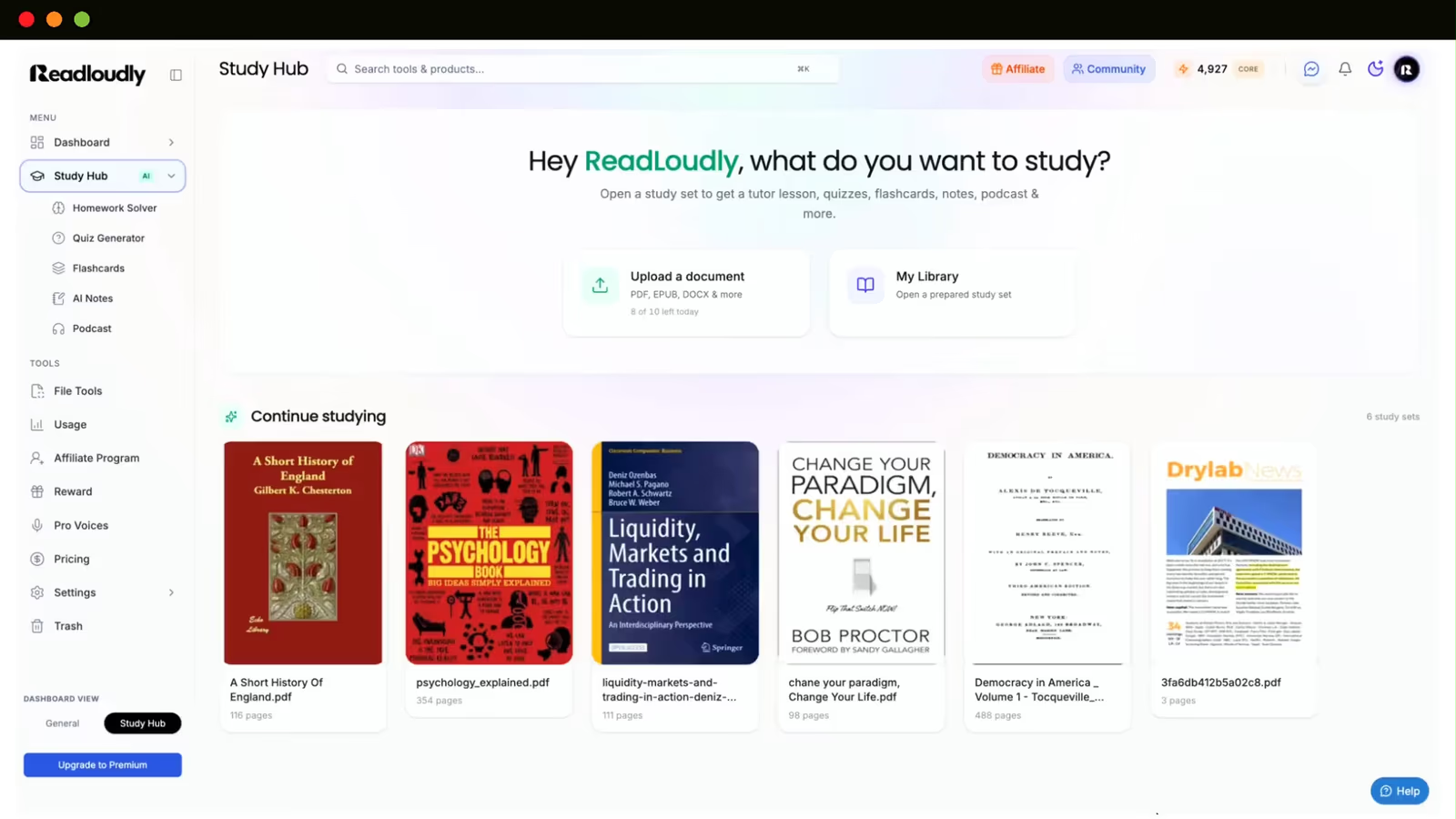
This is the biggest difference between the two products. Audeus has AI chat on a document, and its help center suggests prompts such as "quiz me on Chapter 5". ReadLoudly has dedicated Study Hub tools that generate the material for you from an uploaded PDF, DOCX or EPUB. The free plan covers 2 documents a day.
- Tutor lessons split a document into chapters at three levels, with a read-aloud player. Free.
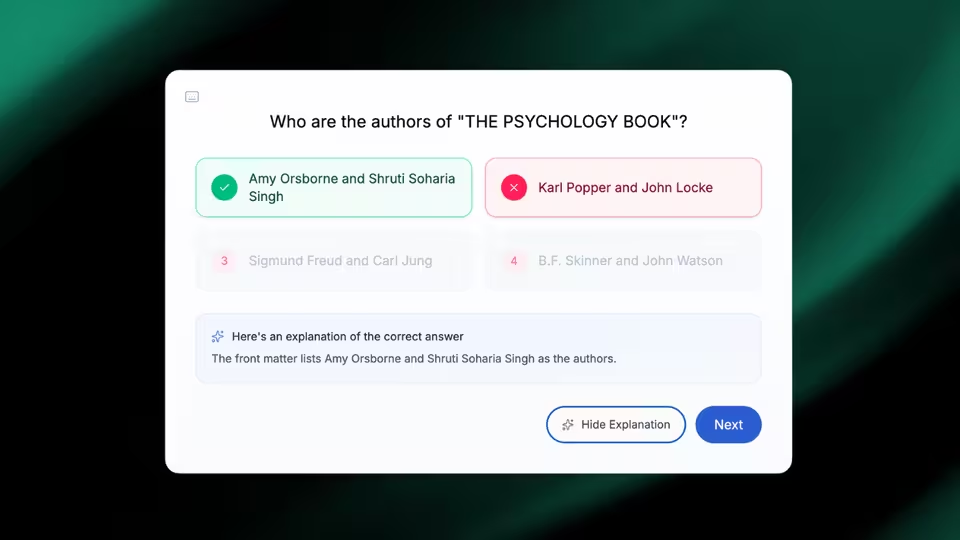
- Multiple-choice quizzes with explanations for each answer. Free.
- Flashcards you flip with a click or the space bar. Free.
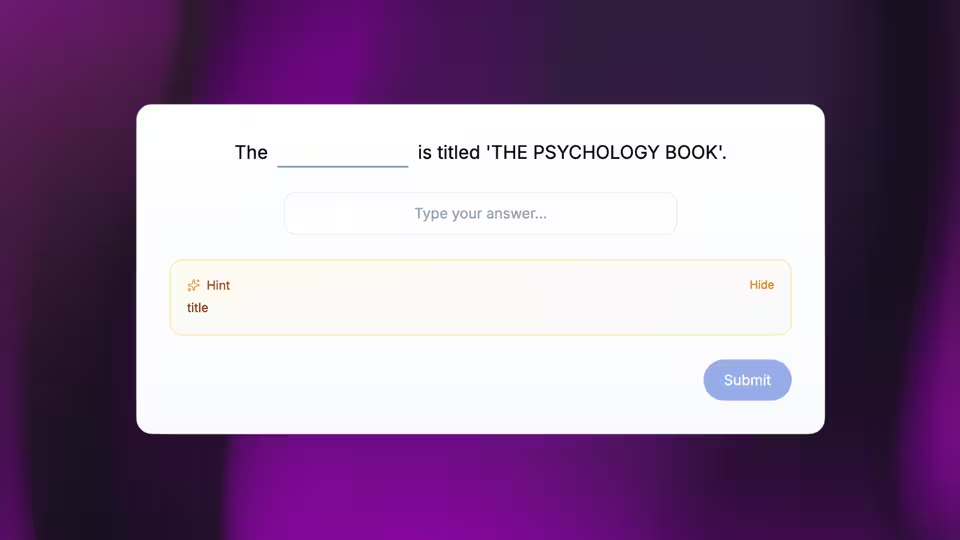
- Fill-in-the-blanks with optional hints. Free.
- Notes in summary, detailed or bullet form, in an editor you can change. Free.
- Written tests graded by AI with a score and a sample answer. Listed as a paid plan feature.
- AI podcasts with two hosts and four tones, a transcript and an MP3 download. Listed as a paid plan feature, and they spend voice credits.
Multiple-choice quiz

Flashcards
Fill-in-the-blanks
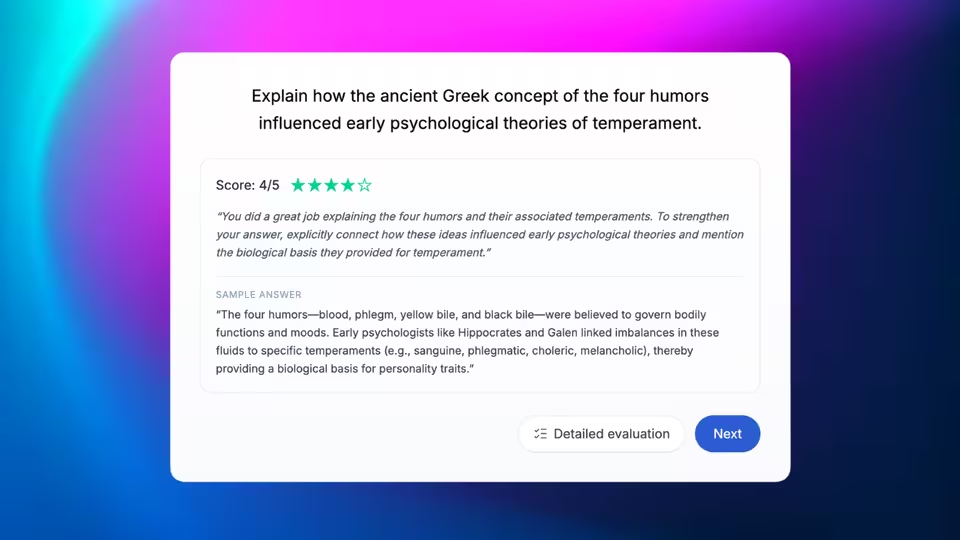
Written test with AI feedback
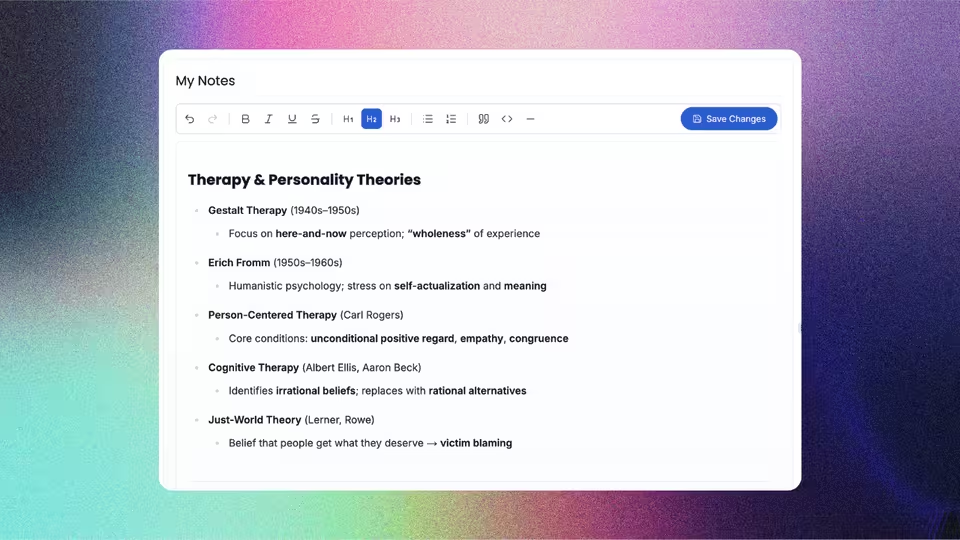
Notes you can edit
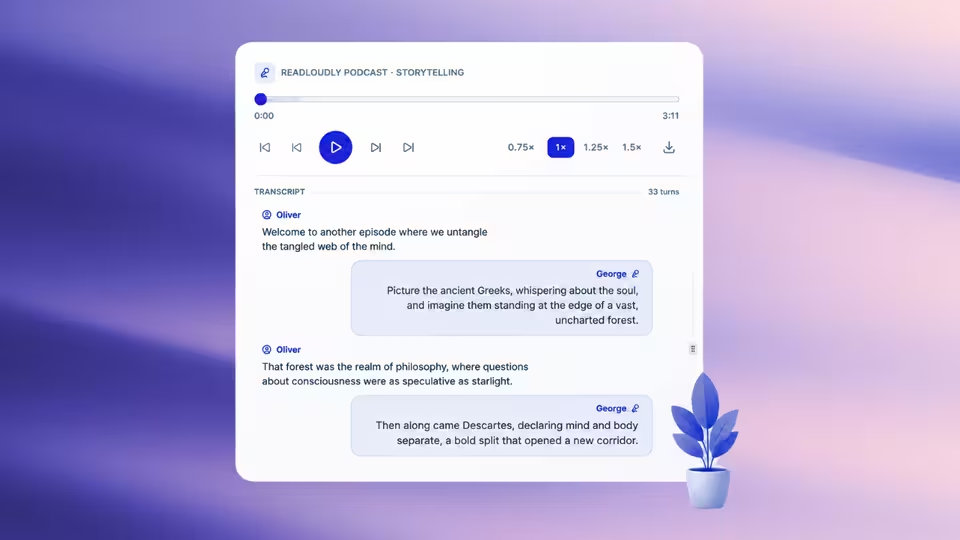
AI podcast with transcript
The same account also includes a homework solver. You type a question or add a photo, pick from 13 subjects and get a step-by-step answer. The free plan allows 2 solves a day. If you use a solver, how to use one to learn, not copy explains how to keep it a study aid. For a walkthrough of building cards from a file, see turning a PDF into flashcards.
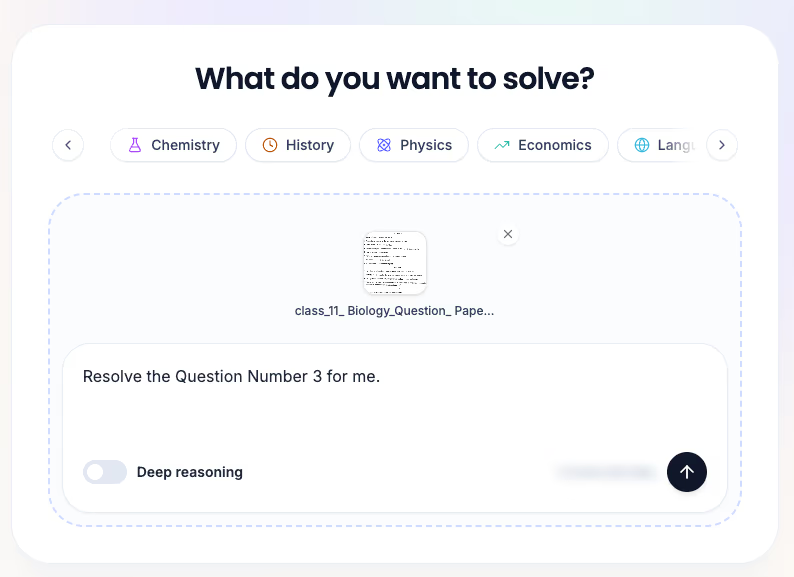
Teachers get Teacher Hub: nine tools (multiple choice, written questions, fill-in-the-blanks, flashcards, tutor lessons, presentations, podcasts, worksheets and vocabulary lists) that share by link, auto-score quizzes and export results. Students need a free account to take a shared activity, the podcast tool is paid, and the tools use the same daily allowance as Study Hub. See ReadLoudly's study tools for the full set.
PDF Tools and Converters in the Same Account
Audeus's feature pages do not mention tools for changing the file itself, though it does offer annotations and a built-in text editor. ReadLoudly includes a PDF editor (edit text, add text, highlight, draw, add a signature), splitting by visual cut, range or every N pages, page extraction, merging in file or page mode, compression, 40 file converters (for example documents, images and ebooks to PDF, and EPUB to MOBI) and flipbooks. Split, extract and merge run in your browser.
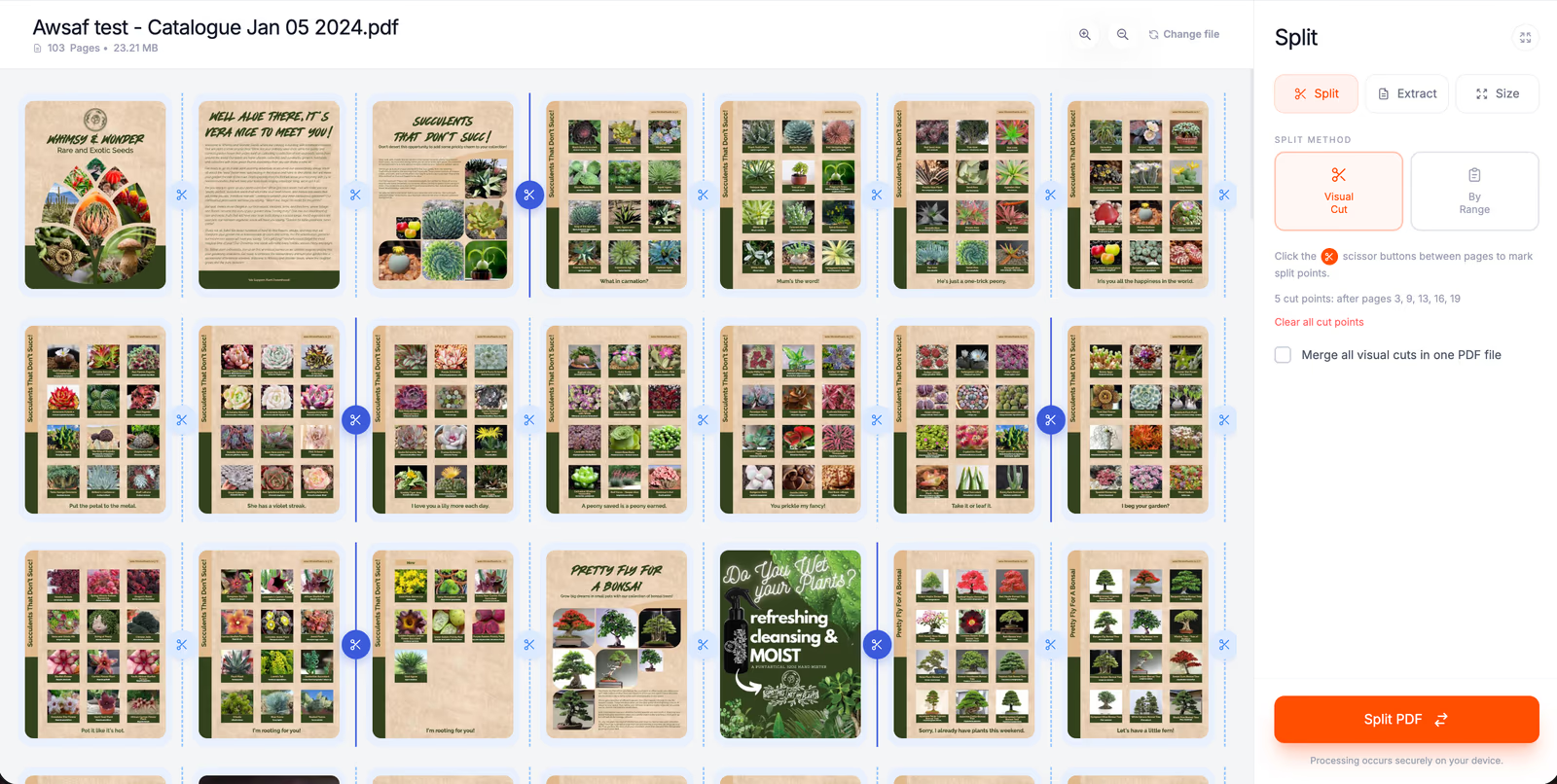
Split a PDF by visual cut
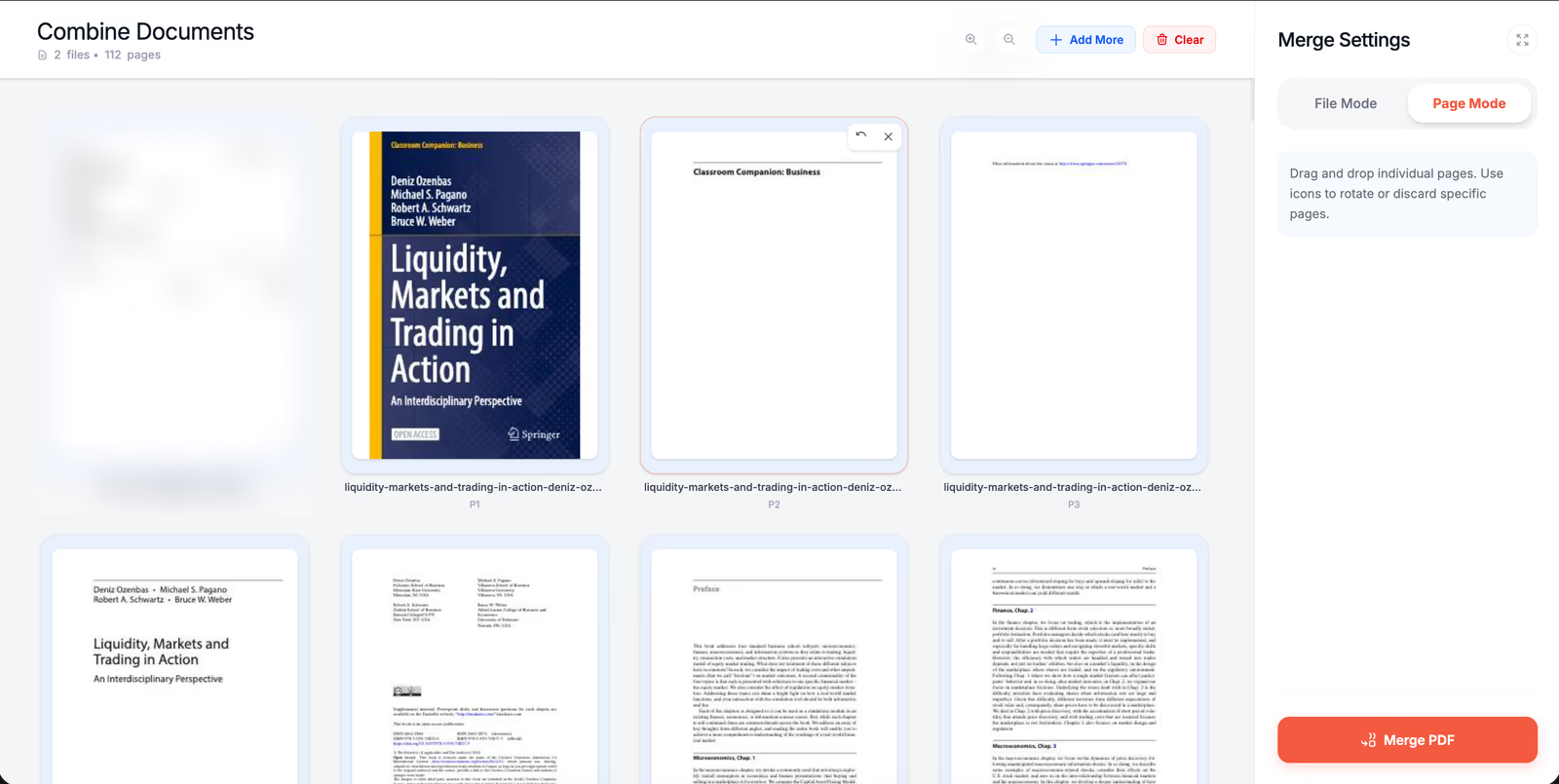
Merge PDF pages
This matters for study workflows. A 400-page textbook is easier to handle once you extract the one chapter your course covers, and then listen to it or build a quiz from it. To try it, upload a PDF and listen.
Offline Listening, Audio Export and Devices
Offline. Audeus has the edge. Its mobile apps list offline support with fallback voices, though voice quality may drop and new uploads need a connection. ReadLoudly is a web app and does not offer offline listening.
Audio export. Audeus says it does not export audio. In ReadLoudly you can download an MP3 of pasted text read with a premium voice (it uses credits) and of Study Hub podcasts. We do not export the narration of a whole uploaded document.
Devices. Audeus offers a web app, iOS and Android apps, extensions for Chrome, Edge, Firefox and Safari, and a Canva app. It also syncs your reading position down to the exact word across devices. On the stores it shows 3.8 stars from 40 ratings on the App Store and 3.5 stars from about 110 reviews on Google Play (store data, not ours). ReadLoudly works in the browser on phones, tablets and computers.
Where Audeus Is Stronger
- Word-by-word highlighting over the original PDF layout.
- Smart Skips that remove citations, footnotes, tables, URLs and headers from the audio on demand.
- Annotations: highlights, pen drawing, shapes and comments while you listen, plus click-to-jump and auto-scroll.
- Cited AI chat, where each answer links back to the source sentence.
- Offline mobile listening, native iOS and Android apps and position sync down to the exact word.
- Higher top speed, 3.5x against 2.5x.
- Mobile scanning with camera, batch and handwriting recognition.
- Accessibility extras: an OpenDyslexic font option, screen masking and a single-column Reader Mode.
- Language and reach: 50+ advertised languages against ReadLoudly's published 40+, browser extensions in four browsers and a Canva app.
- No stated Pro caps on AI chat or daily credits, where ReadLoudly meters premium voices in credits.
Where ReadLoudly Is Stronger
- Dedicated study tools that generate quizzes, flashcards, fill-in-the-blanks, notes, written tests and podcasts from your document.
- Homework solver and Teacher Hub, which Audeus does not advertise.
- PDF tools, converters and flipbooks in the same account.
- More file formats, including MOBI, AZW3, FB2 and CBZ, and uploads up to 500 MB on Pro.
- Lower entry price: $5 a month for Core against $19 a month for Audeus Pro.
- A free plan with stated limits and OCR included.
- More voices to choose from (1,200+ against 150+).
Which One Should You Pick?
| Pick Audeus if you | Pick ReadLoudly if you |
|---|---|
| Mostly listen to long academic PDFs and want to skip citations and footnotes | Want to turn the same reading into quizzes, flashcards, notes or a podcast |
| Need word-by-word highlighting or speeds above 2.5x | Need help with homework questions, typed or photographed |
| Listen offline on your phone | Teach, and want to build and share quizzes or worksheets |
| Want pen and shape annotations while you listen | Want PDF editing, splitting, merging and conversion beside the reader |
| Scan lots of paper with your phone camera | Want a free plan with OCR and a lower entry price |
Many people can use both: Audeus for a focused listening pass, ReadLoudly when the reading has to turn into something you can practise. Both have free plans, so trying the same chapter in each takes a few minutes. If you are also weighing other readers, how ReadLoudly compares with Speechify covers that tool the same way.
Claims Worth Double-Checking in Other Comparisons
Audeus publishes comparison pages that include ReadLoudly, such as its Audeus and ReadLoudly page, and the ones we read were last updated in July and August 2026. Four statements on them are easy to repeat. Two are partly right and two need correcting, so here is what we can confirm:
- MP3 or WAV export on paid plans: partly right. We export MP3 for pasted text read with a premium voice and for Study Hub podcasts. We do not export the narration of a whole uploaded document, and ReadLoudly does not export WAV.
- Real-time translation: not offered. ReadLoudly does not translate documents.
- 500 MB PDF limit: right for Pro only. Uploads are 50 MB on the free plan, 200 MB on Core and 350 MB on Plus.
- Offline listening limited to exported MP3 files: needs a correction. The ReadLoudly app has no offline mode, but a downloaded MP3 of pasted text or a podcast plays offline in any audio player.
Every comparison written by a vendor, including this one, deserves a second source. That is why the figures here are dated and linked where we can.
How We Compared, and When
We read Audeus's pricing page, help center, terms, student page and app-store listings on 23 October 2026, and the links sit beside the figures. Where Audeus's own pages disagree, such as upload size and voice count, we say so instead of choosing one. ReadLoudly figures come from our product and plan table. Six OpenAI voices leave Audeus on 6 January 2027, which will change its voice count at our next check. Prices and features change, so if a figure here no longer matches the vendor's page, the vendor's page is right. Our next scheduled re-check is January 2027.
Changelog. 24 October 2026: added ReadLoudly's new-user offer and re-confirmed ReadLoudly plan prices. 23 October 2026: first publication. Audeus figures checked against Audeus's own pages, ReadLoudly figures against the product.